CALDO RELAX
78
EN - 9
ENGLISH
• Leave at least 1m of free space on the sides, behind the appliance and above it (g. 1).
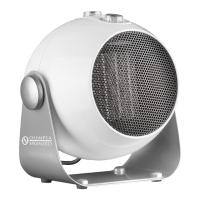
• Make sure the knob (7) is set to “O”.
• Connect the plug to the power socket.
• Make sure the mains data correspond to
what is described on the data plate of the
appliance.
• Arrange cord away from trac areas so
that it will not be tripped over.
3 - USE
Knob “7”
• Knob set to “O” : appliance OFF
• “VENTILATION” function : rotate the knob to “ ” position.
• “MINIMUM POWER” function : rotate the knob to “
•
” position.
• “MAXIMUM POWER” function : rotate the knob to “
• •
” position.
Knob “8” - Thermostat
• Start the appliance by rotating the knob (7) to “
•
” position or to “
• •
” position.
• To set the room temperature to a specic value (thermostatation), rotate the knob
“8” clockwise until it stops.
• Once the desired temperature of the room has been reached, slowly rotate the
knob “8” anticlockwise until the appliance switches off.
• At this point, the appliance will reactivate automatically when the room temperature
lowers beyond the set limit and will switch off again once the room temperature
reaches the set value.


 To Next Page
 Loading...