33
ENGLISH
UNICO - INVERTER
2.5.1 Evacuating condensate water during an emergency
If a malfunction occurs in the condensation water drain system, the air conditioner stops working and signals the alarm status with
the ashing of the rst and second LEDs from the left (green / orange).
To enable the air conditioner to work temporarily until the service personnel arrive, you can drain the water out by following these
simple instructions:
- remove the lower cover (g. 23 ref. A)
- remove the cap (g. 23 ref. B) after having placed a good-sized container underneath it (at least 5-liter capacity) to collect
the water (see g. 23)
- after having cleared the fault, the service personnel will close the evacuation pipe.
2.6 ROUTINE MAINTENANCE
The air conditioner that you have purchased has been designed to reduce routine maintenance operations to a minimum. These
operations involve solely the cleaning operations outlined below:
- Cleaning or washing of the ambient air lter every 2 weeks or every time the relative red LED lights up (this can be done by the
user, see user manual).
- Cleaning of the condensing battery and cleaning of the condensate management system. These operations must be carried
out by skilled technicians on a regular basis that will depend on the place of installation and intensity of use. Depending on the
quantity of dirt, the unit can be cleaned dry (by using a battery compressor and bowl and cleaning the ns with a soft brush
taking care not to deform them) or more thoroughly using dedicated detergents.
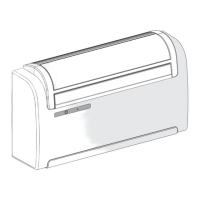
Before you leave the site of installation you should gather up all packing material and use a damp cloth to remove any traces of
dust that may have deposited on the machine during assembly (g. 24).
These operations, though certainly not essential, have a benecial effect as they enhance the professional image of the installer
in the eyes of the client.
To prevent unnecessary calls by the user, before you leave the site of installation it is also a good idea to:
- Explain the contents of the Instruction Manual to the user.
- Show the user how to clean the lter.
2.6.1 Cleaning the air lter
OPERATION TO BE PERFORMED WHEN THE MACHINE IS SWITCHED OFF AND THE POWER SUPPLY IS DISCONNECTED.
To ensure effective internal air ltration and satisfactory operation of your air conditioner, the air lter has to be cleaned periodically.
The air lter is at the top of the unit.
Removing the lter:
- turn off the unit and wait until the suction ap has closed
- manually lift the air suction ap (g. 25)
- lift the front part of the lter (g. 25 ref. A)
- pull slightly to remove the edge from the upper grid (g. 25 ref. B)
- remove the two supplementary lters (green purifying lter ref. B and black active carbon lter ref. C) from the lter unit (g.
27 ref. A)
- wash and dry all the lters
- t the active carbon lter (black) (g. 26 ref. C) on the lter unit (g. 26 ref. A) and lock it to the specic tongues (g. 26 ref.
D)
- t the purifying lter (green) (g. 26 ref. B) on the rst pin that is on the lter unit (g. 26 ref. E), pull it slightly and lock it on
the other two pins (g. 26 ref. F)
- ret the lter unit by inserting the rear edge (g. 27 ref. B) into the grid (g. 27 ref. A)
- lower the front edge (g. 27 ref. C) on the machine
- manually close the suction ap.
To deactivate LED A (if on), after having powered and started the appliance, press the micro key on the signal console (g. 22 ref.
H) with a pointed object for a brief instant. By doing so, the signal related to the lter cleaning requirement is reset.
WARNING: in order to avoid damaging the unit, the manually open and close the air suction ap very carefully, avoiding
abrupt movements that could damage the plastic and mechanical parts.
WARNING: after having cleaned the lters, the air suction ap might stop in a wrong position on turning on the unit again. In this case:
- turn off the unit
- manually move the suction ap to closed position
- cut off power supply (disconnect the power cable)
- wait about 30 seconds
- plug in the power cable
- turn on the unit.
2


 To Next Page
 Loading...