25
26
6
1
3
1b
3 3a
J2
J1
8
EN - 26
ENGLISH
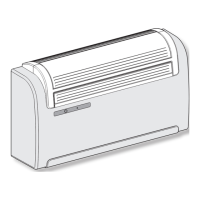
To replace the power cord, proceed as
follows:
a. Raise the air intake grille (3) and remove
the four screws (3a) (g. 25a). Turn the
ap (1) and remove the three screws
(1b) (g. 25b).
b. Remove the cover (6).
c. Unscrew the cable clamp (J1) and the
cable locking screws of the clamp block
(J2) (g. 26).
d. Extract the cable and insert the new
cable by following the same path.
e.
Lock the three poles of the cable in the
clamp block (J2) and tighten the screws
.
f. Lock the cable with the clamp (J1).
g. Remount the cover (6) of the appliance.
This operation must be carried
out by specialized personnel
possessing the skills required
by law.
To change congurations, proceed as follows:
a. Insert the plug into the power socket to feed the air conditioner, then make sure
the latter is set to stand-by mode.
b. Keep the MODE key pressed for approximately 10 seconds until the display
shows the parameter
.
c. Press the + or - keys to select the parameter value to be set (from P0 to P4).
d. Keep the MODE key pressed for approximately 2 seconds until the parameter
ashes.
e. Press the keys + or - to select the desired value.
f. Press MODE to conrm the desired value.
g. Press the Standby key or wait approximately 20 seconds to leave the parameters
conguration procedure.
2.6 - CONFIGURATIONS THROUGH
THE CONTROL PANEL


 To Next Page
 Loading...