EN - 36
ENGLISH
the D7 symbol appears on the display.
3
.5.8 - Operation in “Heating” mode only
• Using this mode, the appliance heats the room.
This function is only available for the versions with heat pump (HP).
• To activate this mode, press button B4 on the remote control several times until
the D2 symbol appears on the display.
• In this run mode, the required temperature and fan speed can be set. After three
minutes (maximum time) the compressor should start and the air conditioner starts
heating the room.
The air conditioner has to defrost its battery periodically.
During this operation the air conditioner does not heat the room,
though its internal parts remain on except for the room air fan.
when the outdoor temperature is very low, there may be a slight
delay for passage from the minimum to the medium or maximum
speed from when the command is sent to the machine with the
remote control.
Like delays might occur on activating the swinging function of the
mobile bafe.
After having turned off the unit, the internal fan runs seconds more.
Then it stops and both air aps close.
3.5.9 - Checkingairowdirection
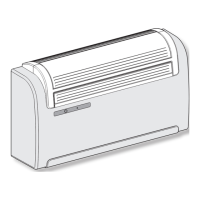
• Press key B8 on the remote control to activate/deactivate the continuous oscillation
of the moving air outlet deector (1).
• When continuous oscillation is active, an additional press of the key B8 allows to
lock the deector so as to obtain the desired vertical direction for the air ow.
The moving deector position must never be forced manually.
3.5.10 - Checking fan speed
• The fan speed check occurs through key B5 (on the remote control).
• Pressing several times this key will cause speed to change according to the fol-



 To Next Page
 Loading...