UNICO TWIN
ENGLISH
EN - 39
6.4.7 - CHECKING AIRFLOW DIRECTION
• PresskeyB4 on the remote control to activate/deactivate the continuous oscillation of the moving air
outletdeector(g.A-ref.1).
• Whencontinuousoscillationisactive,anadditionalpressofthekeyB5allowstolockthedeectorsoas
toobtainthedesiredverticaldirectionfortheairow.
The moving deector position must never be forced manually.
6.4.8 - CHECKING FAN SPEED
• ThefanspeedcheckoccursthroughkeyB2 (on the remote control).
• Pressingseveraltimesthiskeywillcausespeedtochangeaccordingtothefollowingsequence:
Low > Medium > High > Automatic.
• Thehigherthespeedsetting,thegreatertheoutputoftheairconditionerbutalsothelouderitsoperation.
• BysettingtheAutomatic mode, the onboard microprocessor adjusts the automatic speed. The higher
the difference between the room temperature detected and the temperature set, the higher the speed.
• Astheroomtemperaturenearsthesetting,fanspeedisreducedautomatically.
• Indehumidicationmode,itisnotpossibletocontrolthespeedastheappliancecanonlyoperateexclu-
sively at low speed.
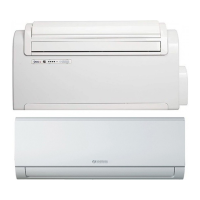
If both units are in operation, UNICO MASTER and WAL ventilation is limited to low speed.
6.4.9 - SILENT KEY
• Toactivatethismode,presskeyB3 on the remote control.
• TheactivationofthefunctionSILENT allows to obtain multiple results:
- gradual increase in the set temperature during cooling mode
- gradual decrease in the set temperature for heating (HP versions only)
- reduction of ventilation speed
• ToactivatethefunctionSILENT, it is necessary to select the operating mode and the desired temperature
rst,thenpresskeyB3 to activate it.
6.5 - TIMER SETTING
• TheappliancelogicallowstheUsertomakeuseoftwodifferenttimerprograms(seeparagraph6.5.2),
thanks to which the appliance can be deactivated and activated (or vice versa) whenever desired (for
example,itcanbeactivatedshortlybeforereturninghomesoastondanalreadypleasanttemperature
in the room).
• Firstly,ifitisdesiredtomakeuseofthesefunctions,setthecorrecttime(seeparagraph6.5.1)andthen
set the timer as you prefer.


 To Next Page
 Loading...