Basic Operation
Select iPod playback
• Press the Audio Mode button to switch between
aux and iPod mode
Volume/Treble/Bass Adjust
• Press and release the Volume/Treble/Bass Adjust knob,
to switch between those modes
• Turn the knob to adjust level up and down
Adjusting LCD brightness
• Press Dimmer once or more. The brightness of the
display can be adjusted:
Bright → Medium → Low → Off→Bright.
10
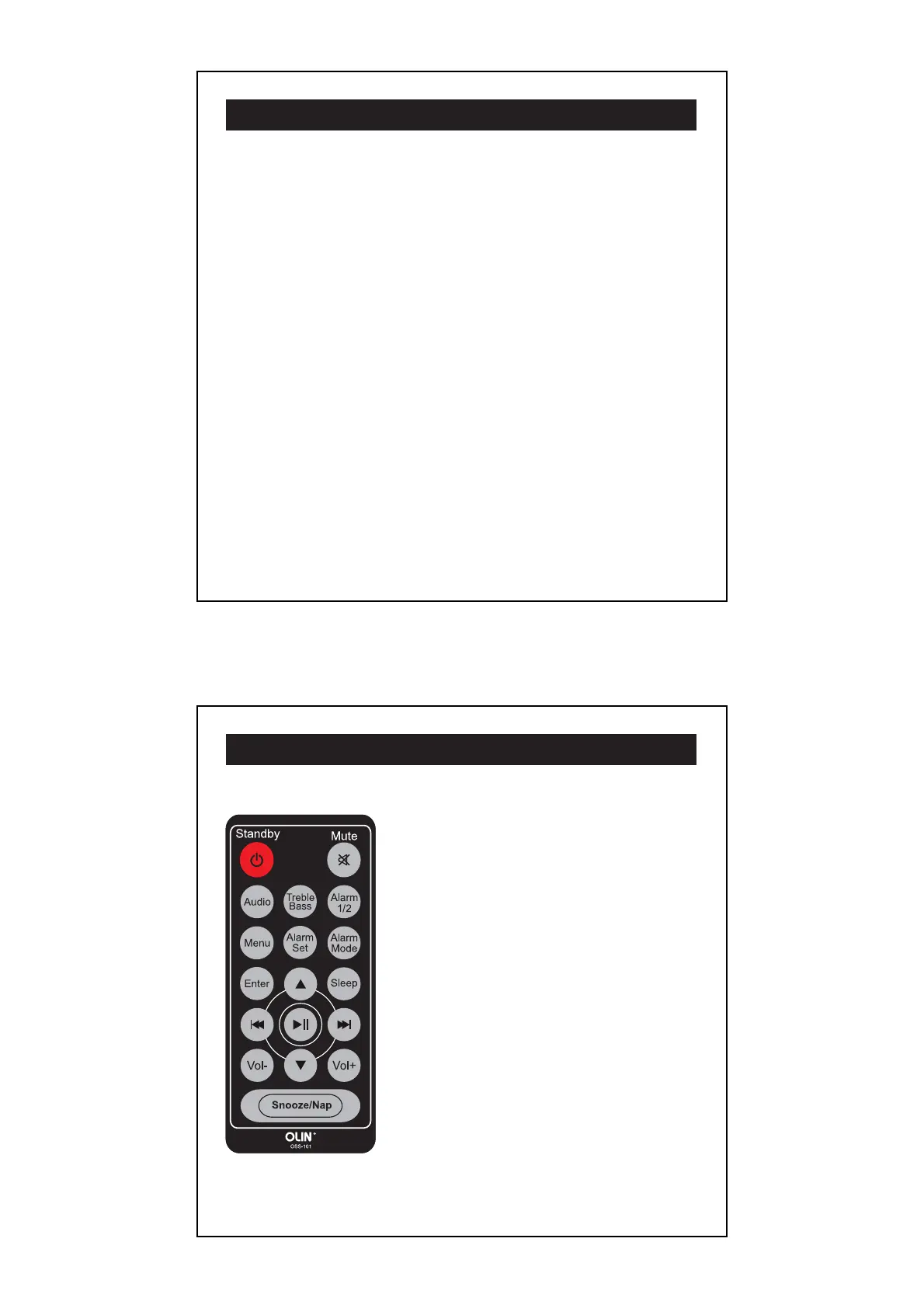
Remote Control Buttons
Standby: Power on/off.
Mute: Cuts volume level to 0db.
Audio: Selects between iPod, Aux,
AM and FM.
Treble/Bass: Press once to select audio
treble level, press twice to select audio
bass level; to set level, turn the Volume/
Treble/Bass Adjust Knob or Vol +/ Vol –.
Alarm 1/2: Activates alarms, same function
as “Alarm One/Two” on control panel.
Alarm Mode: Selects iPod, radio or
beeper alarm.
Alarm Set: Enters alarm time mode.
To set, turn the Power/ Tuner/Clock
Set Knob.
Menu: Enters iPod functions*.
11



 To Next Page