21
O L I V E 4 & 4 H D | O L I V E 2 U S E R G U I D E
N A V I G A T E Internet Radio
Internet Radio > Add New Station
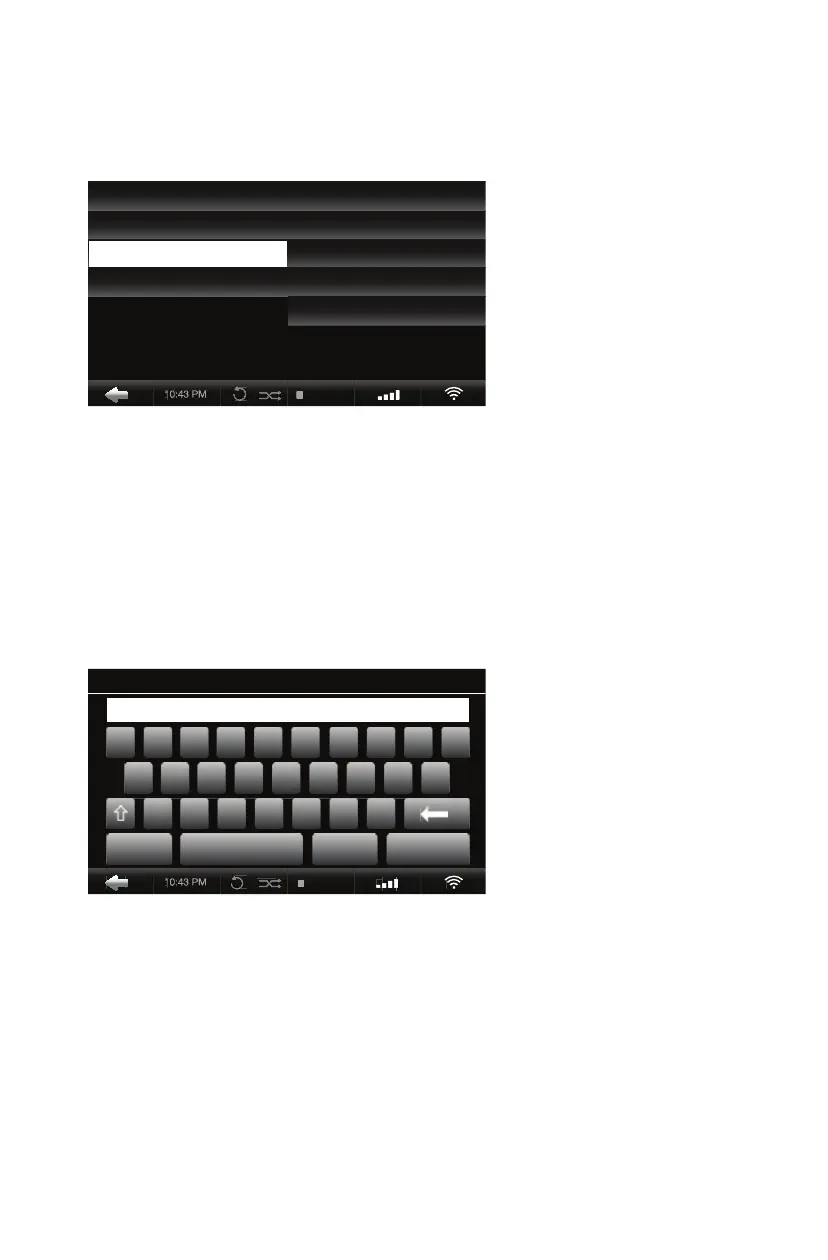
1. Connect to the internet, select Internet Radio, then Add New Station.
2. When prompted, enter the station name followed by the station URL.
3. Find the URL on the internet station page or contact the station for the stream.
FAVORITES Save your favorite stations when you press Select while listening.
GENRES Stations are led by preset genres, e.g. 50s, 60s, Classical, Disco, Rock.
REGIONS Radio stations are available all over the world by country or continent.
PUBLIC & INFO College, Community, Public Radio, Sports and Talk Radio stations.
ADD NEW STATION Enter a station name and web URL ending in “.pls” or “.m3u”.
10:25 PM
ENTER STATION URL
123,?! SAVE CANCEL
Z X C V B N M
A S D F G H J K L
Q W E R T Y U I O P
http://
10:25 PM
MUSIC LIBRARY FAVORITES
MUSIC SOURCES GENRES
INTERNET RADIO REGIONS
SETTINGS PUBLIC & INFO
ADD NEW STATION
Internet Radio Screen


 To Next Page
 Loading...