BACKSPACE ADJUSTMENT
\Y128 \
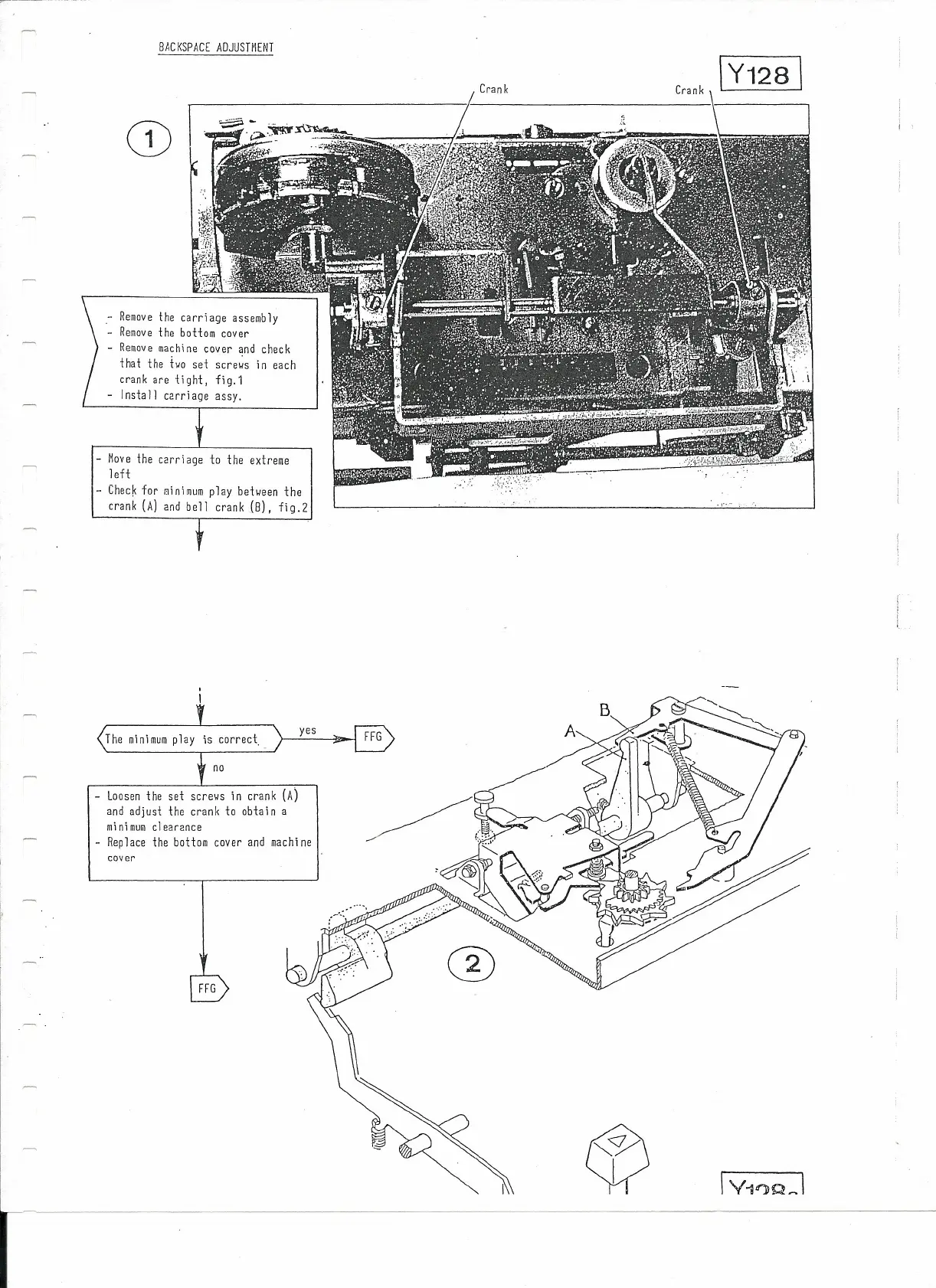
Crank
- Remove lhe carriage assemb1y
- Remove lhe boHom cover
Remove machine cover and check
that lhe tvo se
t
scr evs in cach
crank are
t
i
çht , fig.1
- lnsta ll carriage assy.
- Move lhe carriage to lhe extreme
1eft
- Check for sinimum p1ay bet~een the
crank (A) 2nd bell crank
(8),
fig.2
The minimum p1ay
Loosen the sei screws in crank
(A)
and adjusl lhe crank to obtain a
minimum clearance
Replace the bottom cover and machine
cover
FFG



 To Next Page