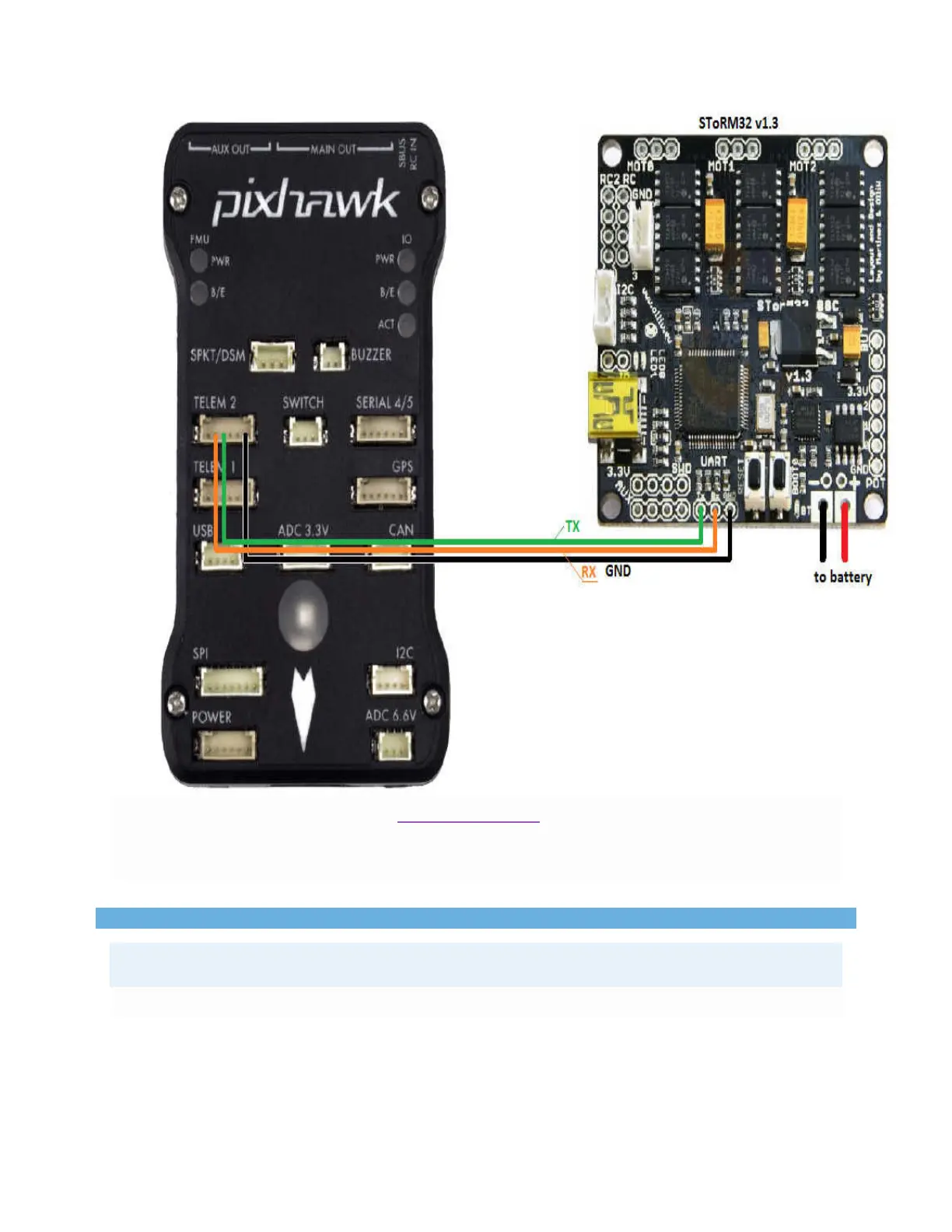
You will need to solder 3-pins of a DF13 6-pin cable to the gimbal controller board as
shown above and then plug the other end into one of the Pixhawk’s Telemetry ports
(Telem1, Telem2, Serial4).
Note
The remaining 3 pins (VCC, RTS, CTS) of the cable should not be connected.
Configuring the gimbal


 To Next Page