© 2007
Printed in China
VH929001
Pull the strap tight so that it does not come loose.
a. Insert the batteries into the camera.
Even when an optional xD-Picture Card™ (hereinafter called the card) is not
inserted, you can take a picture. For details on inserting an optional card, please
refer to Advanced Manual.
This explains how to turn on the camera in shooting mode.
a. Set the mode dial to h.
Still picture shooting modes
b. Press the o button.
To turn off the camera, press the o button once again.
Quick Start Guide
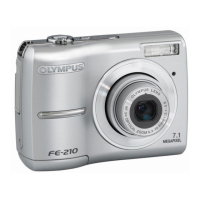
FE-210/X-775
Start Here
For more information, please refer to the Basic & Advanced Manuals
or visit: www.olympusamerica.com/support
Gather these items (box contents)
Digital camera Strap AA batteries
(2)
USB cable
Video cable OLYMPUS Master
CD-ROM
Other items
•Basic Manual
• Advanced Manual
• Warranty card
Contents may vary depending on purchase location.
Attach the strap
Insert the batteries
1
2
4
6
3
5
Hint
The directions of the arrow pad (ONXY) is indicated
with ONXY in this manual.
O
N
Y
X
<
h This function allows you to shoot with the camera's automatic
settings.
h This function stabilizes images when taking pictures.
B Suitable for taking pictures of people.
E Suitable for taking pictures of landscapes.
M Suitable for taking pictures of people at night.
f Select from 10 scene modes according to the shooting conditions.
g Use the shooting guide displayed on the screen to shoot pictures
according to the situation.
Turn the camera on
When shooting movies
When shooting still pictures
Mode dial
o button
When the date and time have
not yet been set, this screen will
appear.
MENU
CANCEL
X
Y/M/D
a. Press the OF/< button and the NY button to
select [Y].
The first two digits of [Y] are fixed.
b. Press the Y# button.
c. Press the OF/< button and
the NY button to select [M].
d. Press the Y# button.
e. Press the OF/< button and
the NY button to select [D].
f. Press the Y# button.
g. Press the OF/< button and
the NY button to select “hour”
and “minute”.
The time is displayed in the 24-hour format.
h. Press the Y# button.
i. Press the OF/< button and
the NY button to select [Y/M/
D].
j. After all items have been set, press the H button.
For a more accurate setting, you can press the H button when the time
signal hits 00 seconds.
a. Hold the camera.
c. Shoot.
a. Press the q button.
a. Press the X& button and the Y# button to
display the picture you want to erase.
b. Press the S button.
c. Press the OF/< button to select [YES], and press
the H button.
Set date and time
About the date and time setting screen
MENU
CANCEL
X
Y/M/D


 To Next Page
 Need help?
 General