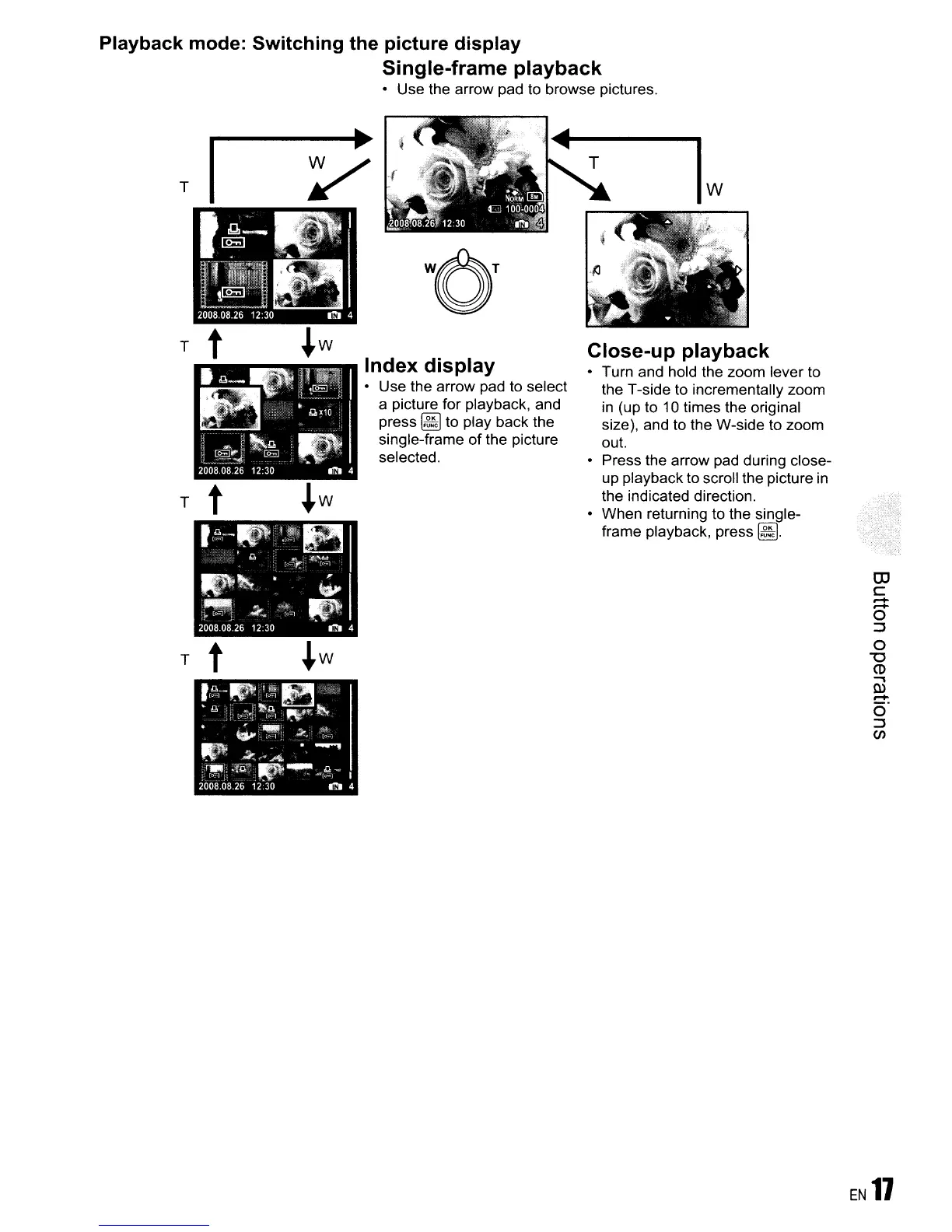
Playback mode: Switching the picture display
Single-frame playback
• Use the arrow pad to browse pictures.
OJ
c
.....
.....
o
:::J
o
"0
CD
...,
Q)
.....
0"
:::J
en
Close-up playback
• Turn and hold the zoom lever to
the T-side to incrementally zoom
in
(up to 10 times the original
size), and to the W-side to zoom
out.
Press the arrow pad during close-
up playback to scroll the picture
in
the indicated direction.
• When returning to the single-
frame playback, press
~.
Index display
• Use the arrow pad to select
a picture for playback, and
press
~
to play back the
single-frame
of
the picture
selected.
r------~
~
T t
T
T t
T t
EN
11





 To Next Page