49
EN
5
Use FG to select the [BORDERLESS]
or [PICS/SHEET] settings, and press the
H button.
Submenu 4 Application
OFF/ON
*1
The image is printed with a border
around it ([OFF]).
The image is printed to fi ll the entire
paper ([ON]).
(The number of
images per sheet
varies depending
on the printer.)
The number of images per sheet
([PICS/SHEET]) is selectable only
when [MULTI PRINT] is selected
in Step 3.
*1
The available settings for [BORDERLESS] vary
depending on the printer.
If [STANDARD] is selected in Steps 4 and 5, the
image is printed at the printer’s standard settings.
N
ORM
OK
SINGLE PRINT
PRINT
4/304/30
MORE
12:30’10/10/26’10/10/26 12:30
N
ORM
12
M
FILE
100 0004100 0004
6
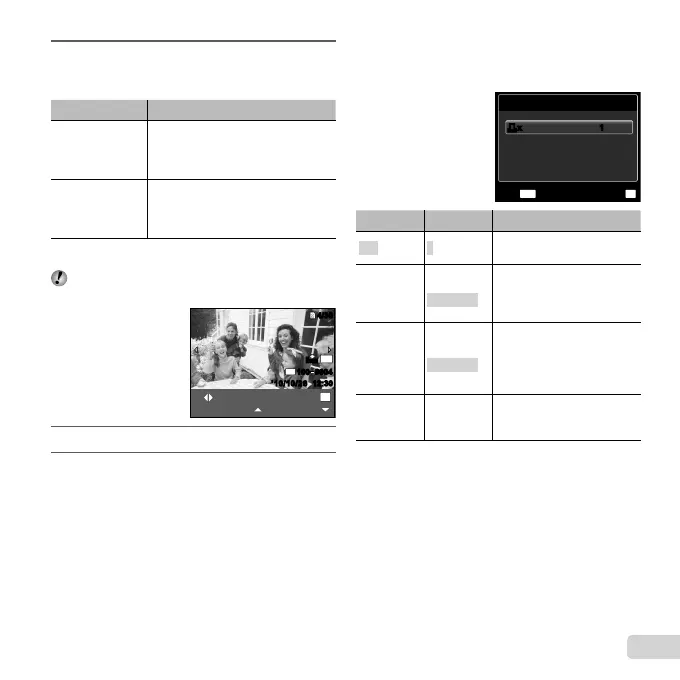
Use HI to select an image.
7
Press F to make a print reservation for the
current image. Press G to make the detailed
printer settings for the current image.
To make the detailed printer settings
To make the detailed printer settings
1 Use FGHI to select the setting, and press the
H button.
PRINT INFO
FILE NAME
P
DATE
WITHOUT
WITHOUT
MENU
OK
SETEXIT
<x<x 11
Submenu 5 Submenu 6 Application
<×
0 to 10
This selects the number
of prints.
DATE
WITH/
WITHOUT
Selecting [WITH] prints the
images with the date.
Selecting [WITHOUT] prints
the images without the date.
FILE NAME
WITH/
WITHOUT
Selecting [WITH] prints the
fi le name on the image.
Selecting [WITHOUT] does
not print any fi le name on
the image.
P
(Proceeds to
the setting
screen.)
This selects a portion of the
image for printing.


 To Next Page