Need help?
Do you have a question about the Olympus Stylus 1000 and is the answer not in the manual?
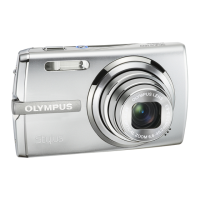
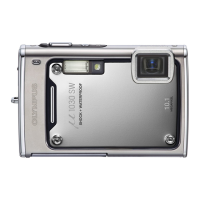
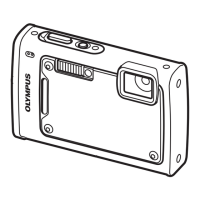
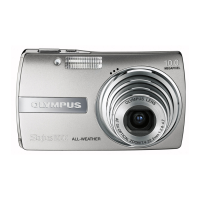
The Olympus Stylus 1000 is a digital camera designed for ease of use, offering a straightforward approach to capturing still pictures and movies, as well as reviewing them. This quick start guide outlines the essential steps to get the camera up and running, from initial setup to basic operation.
The primary function of the Olympus Stylus 1000 is to capture digital images and video. It features various shooting modes to accommodate different photographic situations, including a fully automatic mode for general use, a scene mode for specific conditions, and a guide mode to assist users with settings. The camera is equipped with a mode dial that allows users to quickly switch between still picture shooting, movie shooting, and picture playback.
To begin using the camera, users must first gather the included items, which typically consist of the digital camera, a strap, a Lithium Ion Battery (LI-12B), a battery charger (LI-10C), a USB cable, an AV cable, and the OLYMPUS Master Software CD-ROM. The battery needs to be charged before first use. The charging indicator light on the charger will be red during charging and turn green when charging is complete (approximately 2 hours). The battery comes partially charged. After charging, the battery is inserted into the camera, ensuring it's oriented correctly and locked into place. The strap can then be attached to the camera for secure handling.
To turn the camera on, the mode dial is set to the desired shooting mode (e.g., for still pictures). Following this, the POWER button is pressed. The camera will display a date and time setting screen if these have not been set previously. To turn the camera off, the POWER button is pressed once again.
Upon powering on for the first time, or if the date and time have not been set, a "Y MD TIME" screen will appear. Users navigate this screen using the arrow pad.
To take a picture, the camera is held with a horizontal or vertical grip. The subject is framed, and the shutter button is pressed halfway to focus. The green lamp indicates that focus and exposure are locked. Once focus is achieved, the shutter button is pressed completely to capture the image. The card access lamp blinks during image processing and saving. The number of remaining still pictures is displayed on the screen.
To review captured images, the mode dial is set to the playback mode. Users can navigate through pictures using the arrow pad (left for previous, right for next).
To erase a picture, first, the desired image is displayed in playback mode. Then, the erase button is pressed. An "ERASE [IN]" confirmation screen will appear with "YES" and "NO" options. The up/down buttons are used to select "YES," and then the "SET+OK" button is pressed to erase the image.
While the quick start guide does not delve deeply into maintenance, it implies certain aspects:
The Olympus Stylus 1000 is designed to be user-friendly, providing a quick and easy way for individuals to capture and manage their digital photos and videos with minimal fuss.
 General
| Image Sensor | 1/1.8" CCD |
|---|---|
| Optical Zoom | 3x |
| Screen Size | 2.5 inches |
| Video Resolution | 640 x 480 |
| Battery Type | Li-Ion |
| Type | Compact |
| Digital Zoom | 5x |
| Storage Media | xD-Picture Card |
| Effective Pixels | 10.0 Megapixels |
| Sensor Size | 1/1.8 inches |