28
EN
3
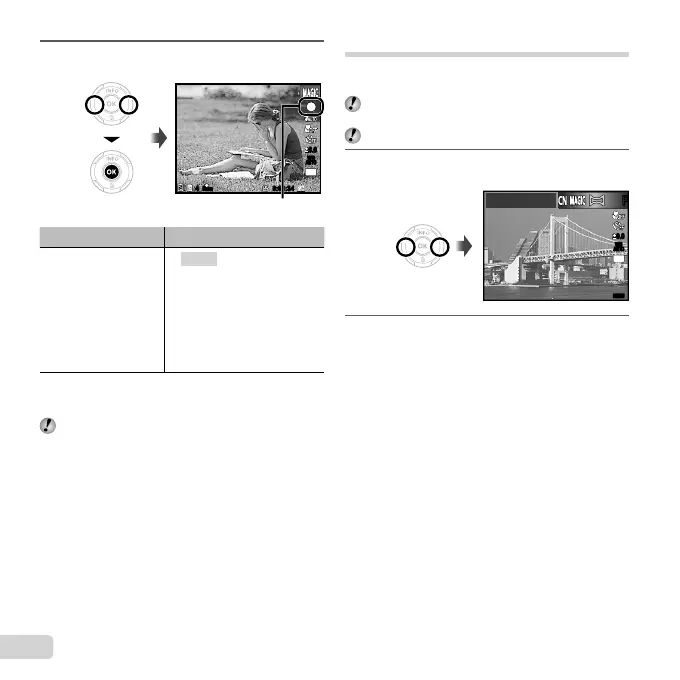
Use HI to select the desired effect and then
press the Q button to set.
1
0.00.0
AUTO
WB
AUTO
WB
16
M
0:00:340:00:34
44
N
ORM
Icon indicating current P mode
Shooting mode Option
Magic Filter
1 Pop Art
2 Pin Hole
3 Fish Eye
4 Drawing
*1
5 Soft Focus
6 Punk
7 Sparkle
8 Watercolor
*2
9 Refl ection
*2
*1
Two images are saved, an unmodifi ed image and an
image to which the effect has been applied.
*2
VR-360/D-760 and VR-350/D-755 only
In P mode, the optimum shooting settings are
pre-programmed for each effect. For this reason,
some settings cannot be changed in some modes.
Creating panoramic images (
~
mode)
Take pictures that can be joined to form a panorama using
the supplied software.
The focus, exposure, zoom position (p. 18), and white
balance (p. 31) are locked at the fi rst frame.
The fl ash (p. 19) is fi xed to $ (Flash Off) mode.
1
Set the shooting mode to ~, and press the
Q button.
MENUMENU
Panorama
0.00.0
AUTO
WB
AUTO
WB
16
M
2
Use FGHI to select the pan direction.



 To Next Page