EasyManua.ls Logo

Omaker W4 User Manual

Omaker W4
1 page
Page #1 background imageLoading...
Page #1 background image
CAUTION
PACKAGE CONTENTS
1 2 3
2
3
1
1
2
3
Speaker 1pc
USB cable 1pc
User manual 1pc
SPECIFICATIONS
Power Output3W
Frequency Response80Hz-20KHz
PowerDV 5V
S/N RatioG%
Dimension:;';+00
8VHU0DQXDO
OPERATION GUIDANCE
1. Power On: Long press the power button, the LED will lit up with
Blue light.
D7KHVSHDNHUZLOOVHDUFKSUHYLRXVFRQQQHFWHGGHYLFHV,IWKHUHLV
QRGHYLFHVFRQQHFWHGEHIRUH the speaker will enter auto-paring
PRGH,IFRQQHFWHGVXFFHVVIXOO\WKH%OXH/('ZLOOOLWXS
E%OXHWRRWKVSHDNHUPRGHOQDPH
OPERATION GUIDANCE
4 5
3RZHU2II/RQJSUHVVWKHSRZHUEXWWRQ
'LVFRQQHFWWKH%OXHWRRWKPRGHGRXEOHFOLFNWKHSRZHUEXWWRQ
XQGHUWKHFRQQHFWHGVWDWXV\RXZLOOHQWHUWKHSDLULQJPRGH
4.Play/Pause:Press the power button to Play or Pause musice
$XWR3RZHU2IILIWKHUHLVQRGHYLFHFRQQHFWWRWKHVSHDNHULQ
PLQXWHVWKHVSHDNHUZLOOWXUQRIIDXWRPDWLFDOO\
&KDUJH8QGHUWKHFKDUJLQJVWDWXVWKHUHG/('ZLOOOLWVXS:KHQ
WKHVSHDNHULVIXOO\FKDUJHGWKH/('ZLOOWXUQRIIDXWRPDWLFDOO\
%DWWHU\/RZ$OHUW:KHQWKHEDWWHU\VWDWXVLVEHORZWKH
speaker will have the low-battery alert.
:DUQLQJ&KDQJHVRUPRGLILFDWLRQVWRWKLVXQLWQRWH[SUHVVO\
DSSURYHGE\WKHSDUW\UHVSRQVLEOHIRUFRPSOLDQFHFRXOGYRLGWKH
user’s authority to operate the equipment.
127(7KLVHTXLSPHQWKDVEHHQWHVWHGDQGIRXQGWRFRPSO\ZLWKWKH
OLPLWVIRUD&ODVV%GLJLWDOGHYLFHSXUVXDQWWR3DUWRIWKH
)&&5XOHV7KHVHOLPLWVDUHGHVLJQHGWRSURYLGHUHDVRQDEOH
SURWHFWLRQDJDLQVWKDUPIXOLQWHUIHUHQFHLQDUHVLGHQWLDO
LQVWDOODWLRQ7KLVHTXLSPHQWJHQHUDWHVXVHVDQGFDQUDGLDWH
UDGLRIUHTXHQF\HQHUJ\DQGLIQRWLQVWDOOHGDQGXVHGLQ
DFFRUGDQFHZLWKWKHLQVWUXFWLRQVPD\FDXVHKDUPIXO
LQWHUIHUHQFHWRUDGLRFRPPXQLFDWLRQV
+RZHYHUWKHUHLVQRJXDUDQWHHWKDWLQWHUIHUHQFHZLOOQRWRFFXULQD
SDUWLFXODULQVWDOODWLRQ,IWKLVHTXLSPHQWGRHVFDXVHKDUPIXO
LQWHUIHUHQFHWRUDGLRRUWHOHYLVLRQUHFHSWLRQZKLFKFDQEHGHWHUPLQHG
E\WXUQLQJWKHHTXLSPHQWRIIDQGRQWKHXVHULVHQFRXUDJHGWRWU\
WRFRUUHFWWKHLQWHUIHUHQFHE\RQHRUPRUHRIWKHIROORZLQJPHDVXUHV
Reorient or relocate the receiving antenna.
,QFUHDVHWKHVHSDUDWLRQEHWZHHQWKHHTXLSPHQWDQGUHFHLYHU
&RQQHFWWKHHTXLSPHQWLQWRDQRXWOHWRQDFLUFXLWGLIIHUHQWIURPWKDWWR
ZKLFKWKHUHFHLYHULVFRQQHFWHG
&RQVXOWWKHGHDOHURUDQH[SHULHQFHGUDGLR79WHFKQLFLDQIRUKHOS
7KLVGHYLFHFRPSOLHVZLWK3DUWRIWKH)&&5XOHV2SHUDWLRQLV
VXEMHFWWRWKHIROORZLQJWZRFRQGLWLRQV
WKLVGHYLFHPD\QRWFDXVHKDUPIXOLQWHUIHUHQFHDQG
WKLVGHYLFHPXVWDFFHSWDQ\LQWHUIHUHQFHUHFHLYHGLQFOXGLQJ
LQWHUIHUHQFHWKDWPD\FDXVHXQGHVLUHGRSHUDWLRQ
)&&5)ZDUQLQJVWDWHPHQW7KHGHYLFHKDVEHHQHYDOXDWHGWRPHHW
JHQHUDO5)H[SRVXUHUHTXLUHPHQW7KHGHYLFHFDQEHXVHGLQSRUWDEOH
H[SRVXUHFRQGLWLRQZLWKRXWUHVWULFWLRQ
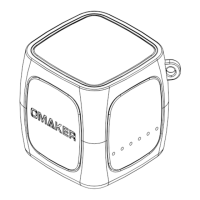
BLUETOOTH SPEAKER
W4
W4
Question and Answer IconNeed help?

Do you have a question about the Omaker W4 and is the answer not in the manual?

Omaker W4 Specifications

General IconGeneral
BrandOmaker
ModelW4
CategorySpeakers
LanguageEnglish

Summary

General Safety Precautions

Water and Moisture Hazard

Avoid using the appliance near water, such as bathtubs or sinks, and prevent exposure to dripping or splashing.

Ventilation and Placement Guidelines

Ensure proper ventilation by situating the appliance away from surfaces that might block openings, like beds or cabinets.

Fire and Electric Shock Warning

To reduce the risk of fire or electric shock, do not expose the appliance to rain or moisture.

Package Contents

Operating Instructions

Power On and Pairing

Long press the power button to turn on; it searches for previous devices or enters auto-pairing mode.

Power Off

Long press the power button to turn off the device.

Bluetooth Disconnection and Pairing

Double-click the power button while connected to enter pairing mode.

Play/Pause Music

Press the power button to play or pause music playback.

Auto-Power Off Feature

The speaker automatically turns off after 10 minutes of no device connection.

Charging Indicator

A red LED indicates charging; it turns off when the speaker is fully charged.

Low Battery Alert

The speaker provides an alert when the battery level drops below 20%.

Product Specifications

FCC Compliance and RF Exposure

Modification Warning

Unauthorized modifications may void user authority to operate the equipment.

Class B Digital Device Compliance

Tested to comply with FCC limits for residential installations to prevent harmful interference.

Interference Correction Measures

Steps to correct interference include reorienting antennas, increasing separation, and changing circuits.

FCC RF Exposure Statement

Device meets general RF exposure requirements and can be used in portable conditions without restriction.