Searching for Your Code
If your Television or Satellite does not respond to the ZAPPER after
trying all the codes listed for your brand, try searching for your
code. To search for your TV code:
Turn on your TV.
Press the TV key on the ZAPPER.
Then, press and hold the MAGIC key until
the light blinks twice (the light will blink
once then twice).
Next, press the Programme(-) key three times.
Next, alternate between Programme(-) and
POWER until your Television turns off. You
may have to press these keys many times, so be
patient. Remember, you must aim the ZAPPER
at your device the entire time you are
searching for your code.
When your device turns off, press and release
MAGIC. Don’t forget, press MAGIC as soon as
your device turns off.
The ZAPPER should now be ready to operate your device.
Turn your device back on and try all the remote’s functions to
ensure they are working properly. If some of the ZAPPER’S
commands are not operating correctly, try the search method
again, you may be using the wrong code.
Important notes:
- When you want to control your device, press the device key first (TV or SAT).
- To search for the code for your Satellite Receiver or Cable Converter, fol-
low the same instructions above, only press the SAT key during step 2.
- During step 5, you may have to press these keys many times (up to
150!), so be patient. Remember, you must aim the ZAPPER at your
device the entire time you are searching for your code.
Code Blink Out
After you have used the Search Method, you can find out which
code the ZAPPER responded to by blinking back the code. It’s handy
to know your Television, Satellite Receiver or Cable Converter code
for future reference. Remember, you can only blink back your code
after the ZAPPER is operating your device.
To blink out your TV code:
Press the TV key on the ZAPPER.
Then, press and hold the MAGIC key until the
light blinks twice (the light will blink once
then twice).
Next, press Programme(-), Programme(-),
Programme(+).
For the first digit of your 5-digit code, press
Volume + ( ) and count the red blinks.
For the second digit, press Volume - ( ) and
count the red blinks.
For the third digit, press Programme(+) and
count the red blinks.
For the fourth digit, press Programme(-) and
count the red blinks.
For the fifth digit, press MUTE and count the
red blinks.
Now you have your 5-digit code. Write your
code in the boxes provided previously for easy,
future reference.
Important note: To blink out the code for your Satellite Receiver or
Cable Converter, follow the same instructions above, only press the SAT
key during step 1.
Controlling Colour & Brightness
Depending on the functions of your original remote control, the
ZAPPER can operate the colour and brightness settings of your
Television.
Scan
Your ZAPPER comes with a special Scan function which lets you
“scan” through every programme available on your TV, Satellite or
Cable Box.
For example, to scan the programmes on your TV:
Aim the ZAPPER at your TV. Press the TV key.
Press and release MAGIC then press the MUTE
key.
The ZAPPER will send the command to advance
through all the programmes available on your
Television stopping at each programme for
about three seconds. Remember, you must aim
the ZAPPER at your device the entire time you
are using scan.
When you find a programme you would like to
watch, simply press the device key you are
using (TV, SAT) to stop the Scan feature.
In this case press the TV key.
Important notes:
- To use Scan with your Satellite or Cable Box, follow the same instruc-
tions above, only press the SAT key during step 1.
- Scan may not function with devices that did not have a programme +/-
key on the original remote.
USER GUIDE & CODE BOOK
Universal Remote
Retain For Future Reference
URC-6520
700930
Features and Functions
Key Function
LED LED
The LED (Light Emitting Diode) flashes red to show
the remote is working.
MAGIC
The MAGIC key is used to set up your ZAPPER and to
access special features.
Power
The Power key turns your devices both on and off.
Device Keys
The TV and SAT keys select the home entertainment
device to be controlled. Pressing the TV key allows the
remote to control the functions of your Television.
After pressing SAT, you can operate your Satellite
Receiver or Cable Converter.
Mute
The Mute key operates the same function it did on
your orginal remote control. It is also used to activate
the Scan feature (see Scan).
Volume+/
-
, Programme +/
-
The Volume and Programme keys control the two most
frequently used functions of your devices. They
operate just as those on your original remote control.
These keys are also used to program the ZAPPER for
your devices and to control the Colour and Brightness
settings of your television (Advanced Operation).
The ZAPPER needs 2 new “AAA/LRO3” alkaline batteries.
Remove the battery cover from the back of
the ZAPPER by pressing down on the tab.
Match the batteries to the +/- marks inside
the battery case, then insert the batteries.
Press the battery cover back into place.
Important notes:
- In order to avoid having to reprogram your ZAPPER after you remove
the batteries, you will need to insert new batteries within 5 minutes.
- Also, it is best that you do not use rechargeable batteries.
- On the inside of the battery compartment door you will find a
label on which to write your set-up codes after your ZAPPER is
set up for your shading devices. Please write down your codes
for easy, future reference.
Direct Set-Up
To set up the ZAPPER for your Television and Satellite Receiver (or Cable
Converter) follow the instructions below. To set up your Television:
Turn on your Television.
Find your Television code in the Set-Up Code
section (see reverse). Codes are listed by brand
name. The most popular codes are listed first.
Press and release the TV key to select the device.
Then press and hold the MAGIC key until the
light blinks twice (the light will blink once then
twice).
Enter your 5-digit code according to the
chart below. The red light will blink twice.
Volume + = 1
Volume - = 2
Programme + = 3
Programme - = 4
Now, aim the ZAPPER at your Television and press
POWER. If your Television switches off, your
ZAPPER should be ready to operate your device.
Turn your device back on and try all the remote’s functions to ensure
they are working properly. If the functions do not work properly,
repeat steps 1-6 using another code listed under your brand.
Important notes:
- To set up your Satellite Receiver or Cable Converter, follow the same
instructions above, only press the SAT key during step 3.
- Some codes are quite similar. If your device does not respond or is not
functioning properly with one of the codes, follow steps 1-6 with each
code listed for your brand.
- If none of the codes listed for your brand operate your device, follow
the Search Method described in the next section. The Search Method can
be used even if your brand is not listed at all.
- Remember, to control your device after you have programmed it with
the ZAPPER, you must press the device key first (TV or SAT).
- Write the codes for your TV and SAT in the boxes provided below
and inside the battery compartment for easy future reference.
TV Code
SAT/Cable Code
ABOUT YOUR ZAPPER
Features and Functions Front Page
INSTALLING THE BATTERIES
Front Page
SETTING UP THE ZAPPER
Front Page
Direct Set-Up Front Page
Search Method Front Page
ADVANCED OPERATION
Controlling Colour & Brightness Front Page
Scan Front Page
TROUBLE-SHOOTING
Helpful Hints Front Page
Consumer Help-Line Front Page
SET-UP CODES
Quick Set-Up Back Page
Codes Front- / Back Page
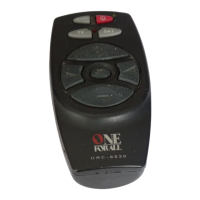
Thank you for purchasing the ZAPPER universal remote control
(URC-6520). Your ZAPPER package contains:
The ZAPPER Remote Control
The ZAPPER User Guide & Code Book
The User Guide & Code Book explains in simple steps how to set up
and operate your new universal remote control. You may need this
guide again in the future, so please be sure to keep it.
Your ZAPPER needs 2 new “AAA/LRO3” batteries.
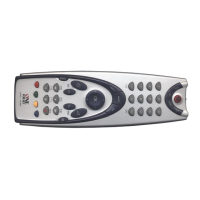
Your ZAPPER is designed to let you use one remote to operate your
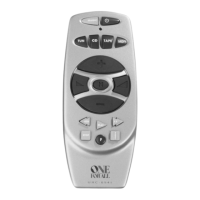
Television and Satellite Receiver (or Cable Converter). The illustration
on the left and the chart below describe the features and functions
of the ZAPPER universal remote control.
Setting Up The ZAPPER
1
2
3
4
6
7
5
1
2
3
4
5
6
7
8
Installing The Batteries
1
2
3
Contents
About Your ZAPPER
UK
TV
SAT
MAGIC
Programme+
Power
Volume -
Programme -
Volume +
Mute/Scan
1
2
3
5
ONE FOR ALL
Acura
Admiral
Adyson
Agazi
AGB
Aiko
11132
12224 12242 23313
14232
21131
31121
14231 11132 11322
22414 11314 12131
22332 13444
4
6
7
x3
Solution:
Replace batteries with 2 new
“AAA/LR03” alkaline batteries
Make sure you are using new
batteries and are aiming the ONE
FOR ALL at your device.
A) Try all the codes listed for your
brand. B) Try the search method.
Try the search method.
You may be using the wrong code.
Try Direct Set-Up again trying each
code listed under your brand or
start the search method over again
to locate the proper code.
Press TV, then press MAGIC until
the light blinks twice.
Then press:
(Programme-)
(Programme+)
(Programme-)
If your original remote did not
have channel +/- keys, the Zapper
may not operate this function.
Problem:
Red light does not blink
when you press a key?
The ONE FOR ALL does not
respond after pressing a
key?
The ONE FOR ALL does not
operate your device?
Your brand is not listed in
the ONE FOR ALL code section?
The ONE FOR ALL is not
performing commands
properly?
Your TV switches to
programme 1 when you
press the power key before
switching off OR you must
press Power twice to switch
on your TV?
You cannot reach channel 10
and above on your TV or
Satellite.
Trouble-Shooting
Helpful Hints
1
Advanced Operation
2
■■ ■■ ■■ ■■ ■■
■■ ■■ ■■ ■■ ■■
then holdPressColour up =
then holdPressColour down =
then holdPressBrightness up =
then holdPressBrightness down =
TV + MAGIC* + CODE** = Ready
(To set up your TV)
SAT + MAGIC* + CODE** = Ready
(To set up your Satellite or Cable Box)
* Hold MAGIC until the red light blinks twice.
(The light will blink once then twice)
** The red light will blink twice
Use the Programme and Volume keys to enter your code:
Volume + = 1
Volume - = 2
Programme + = 3
Programme - = 4
(Example: To enter the Sony TV code 11133, you would press
Volume+, Volume+, Volume+, Programme+, Programme+)
If your device does not respond to the ZAPPER after you have tried
all the codes listed for your brand, try the Search Method described
on the reverse side.
Make sure you write your correct 5 digit codes in the boxes
provided inside the battery compartment and in the boxes
provided on the reverse side.
Televisions
4210991 A.R. Systems 11322 22311
4211306 Accent 11322
4210005 Acura 11132
4210010 Admiral 12224 12242 23313
14222 21131
4210012 Adyson 14232 14231
4211080 Agashi 14231
4210014 Agazi 21131
4210015 AGB 31121
4210997 Agef 12224
4210017 Aiko 14231 11132 11322
22414 11314
12131 22332 13444
21131 14232
4210018 Aim 11322 21213
4210020 Akai 22332 14211 22414
11322 13444
11314 11132 12131
14233 13314
31121 31341 32122
24311 14232
32424 14231 21131
24111
4210021 Akiba 14233 21233 24124
11322
4210023 Akura 14233 22324 21233
21221 11132
23241 21131 11322
24342
4211267 Alaron 14231
4210024 Alba 14233 14334 11132
23313 22413
22314 22414 11322
14231 14424
23344 13314 11412
32122 24324
11321 32114
4210026 Alcyon 12141
4210029 Allorgan 14143 21323 14232
4210032 Allstar 11322
4210041 Amplivision 14232 23211 22111
22413
4210042 Amstrad 13412 11132 31121
21131 14233
22414 22333 23241
11322
4211094 Anam 11322 11132 12121
4211268 Anam
National 11322
4210044 Anglo 11132 21131
4210045 Anitech 11132 12121 12141
21131 11322
4210047 Ansonic 22413 21321 12323
11132 11322
22423 13314 22114
23234 21114
14424 11141 23341
4210050 Apollo 24232
4210053 Arc en Ciel 23144 24422 12342
14121 31431
22142 14123
4210054 Arcam 14231 23144 14232
4210057 Aristona 11322 31341 11141
4210059 Arthur
Martin 13314 23211
4210060 ASA 12332 22233 12123
12331 12224
4210062 Asberg 11322 12141
4211095 Asora 11132
4210070 Asuka 14233 21131 14231
21233 14232
4210072 Atlantic 11322 14231 14143
21114 22111
4210074 Atori 11132
4210075 Auchan 13314 23211
4210080 Audiosonic 11322 12342 14232
22413 22212
21131 14233 23341
4210081 Audioton 14232 22413 21131
4210084 Ausind 12141
4210085 Autovox 12224 14143 14342
12141 22242
14232 14424
4211156 Awa 11134 11321 11132
13242 22423
4211081 Ayomi 14343
4211098 AYR 31224
4210091 Baird 12342 14112 22224
13443 14111
12131 12132 14232
14211
4210093 Bang
& Olufsen* 31422 12224
4210094 Barco 22441 13314
4210097 Basic Line 14233 11132 22423
11322 13314
21233
4210098 Bastide 14232
4210099 Baur 21344 31224 14114
31111 11322
31333 13444 22332
22242 24432
11133
4211082 Bazin 14232
4210103 Beko 22413 11322
4211272 Bell & Howell 13233
4210105 Beon 11322 23313
4210106 Best 22212 22413 23322
4210107 Bestar 11322 22413 22423
4210108 Binatone 14232
4210110 Black Star 14424
4210111 Blacktron 21233
4210112 Blackway 21233
4210113 Blaupunkt 31333 13444 31224
14114 14131
14222 22124 24111
4210114 Blue Sky 14233 21233 24124
11322 24324
4210115 Blue Star 21233
4210118 Bondstec 14424
4210119 Boots 14232
4210121 BPL 21233 11322
4210123 Brandt 24422 12342 23144
14342 22142
14121 14123 21244
22144 31431
4210126 Brinkmann 23313 11322 31124
4211030 Brionvega 11322 12224 22333
4210128 Britannia 14231 14232
4210133 Bruns 12224
Set-Up Codes (5 digits)
Quick Set-Up
Set-Up Codes
Volume + = 1
Volume
-
= 2
Programme
-
= 4
Programme + = 3
➥


 To Next Page
 Need help?
 General