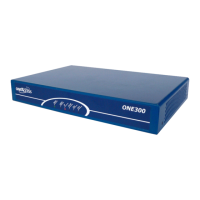
Note: Devices must be installed within 2 metres of a
dedicated mains power outlet. Do not place the unit close to a
heat source (such as other electrical equipment) or in direct
sunlight. Avoid locations exposed to heavy soiling due to
exhaust from machinery, airborne particles from industrial
processes or excessive dust.
3. IAD CONFIGURATION
To configure IAD for TIPT services with auto provisioning: using the
auto-update feature obtaining the configuration file from the Device
Management Solution (DMS).
About OneAccess Auto-update Feature
The OneAccess auto-update feature enables IAD to automatically
acquire configuration parameters and update software/web
Configurator or any file stored in the OneOS-based router flash file
system. Auto-update uses HTTP / HTTPS protocol and the major
advantages of auto-update are easy implementation (no firewall
issues caused by DHCP) and open web based configurator
upgrade.
After the first boot, the device will automatically learn the URL of
the Device Management Solution (DMS) using DHCP Option 160
(URL based) to obtain the location of the device bootstrap
configuration. The device will then learn and obtain the bootstrap
configuration from the designated directory located on the Profile
Server (PS).
4. Provisioning
The following steps must be followed when provisioning the IAD
using Auto Provisioning:
WAIT, once booted up, device will automatically download
configuration file from DMS bootstrap URL directory and then
reboot (Takes max 5 minutes)
Go to the Auto Update page, enter the credentials provided
by the Telstra Commissioning team and click on the Apply
button. The device will contact DMS, download the
configuration file and reboot when it detects the downloaded
configuration is different to the one currently on the box.



 To Next Page
 Loading...