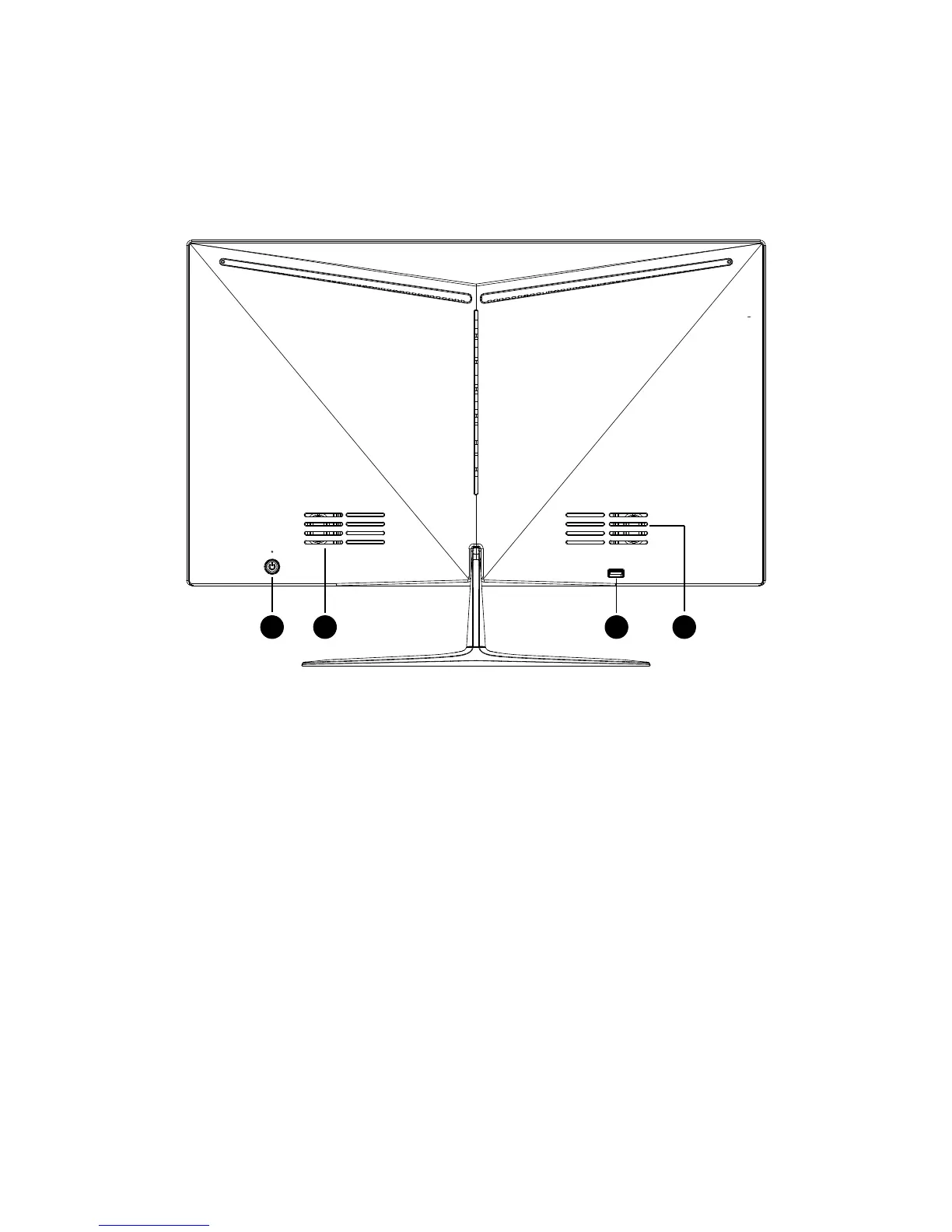
1) The power swi tch
Press the switch to t urn on or off the computer.
2) LCD screen
High Definition LCD screen allows you to view photos, videos or ot h er multimedia files
on your computer to provide excellent visual effects.
31 4 4
3) USB 2.0 ports
USB 2.0 ports can be connected for the USB 2.0 specification of the equipment, such as
keyboard, camera, print er, scanner and mobi le storage equipment etc.
2*5W hi fi speaker s to facilitate you to watch the video or listen to music to get a better
visual effect.
Adjust angle of view
★The ideal angle of view is recommended to the front o f the product, and then adjust t h e
angle of the prod uct according to your request.
★When you adjust the angle of the product, press and hold the base and adjust the position
of the front frame.
★You can adjust the angle of the product from -5 degrees to 10 degrees.


 To Next Page