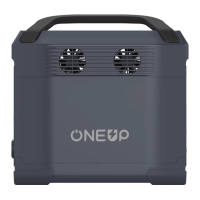
If the circle icon on ONEUP 1000’s display screen is flashing, please contact our Product Experts at support@oneuppow-
er.com.
b. Battery Failure Warning
Shows the percentage of the power. If it displays 0%, please charge ONEUP 1000 immediately.
c. Battery Level Indicator
The ONEUP 1000 fan speed is intelligently controlled by the ONEUP 1000, and the displayed speed is related to
the fan speed.
When the temperature of the ONEUP 1000 is too high, a high-temperature warning icon appears on the screen to warn that
the temperature of the product is too high. Please cool down the product before use it again .
A low-temperature warning icon appears on the screen to warn that the temperature of the ONEUP 1000 is too low. Please
move the product to a warm place and wait until it turns to working temperature before use it.
e. Low temperature indicator
Shows the current input power of ONEUP 1000 in watts.
g. Current Input
Shows the current output power of ONEUP 1000 in watts.
h. Current Output
Indicates the usage status of each port.
j. Port Usage Indicators
The ONEUP 1000 display screen uses different icons and combined icons to indicate different protections for the
product.
. Protection Information Instruction
There are two types of overload protection. The first type protection: in the DC area, when any port is powering
devices that exceed maximum current limit, or the output power of the AC jack exceeds the maximum AC power output
(Overload 1%-10% will work 3mins overload 11%-30% will work 1min; overload 31%-49% will work 1s; overload
50%-100% will work 100ms), and when the vehicle power supply output exceeds the maximum current, the overload
indication and the corresponding interface indicator will flash simultaneously for 15 seconds. The output of the interface
will be automatically shut down immediately, and other ports will continue to work.
Second type of protection: When the power output from the DC or AC jack, and the vehicle power outlet exceeds the
battery maximum power output, the overload indicator and the corresponding port indicator will flash simultaneously for
15 seconds. ONEUP 1000 will automatically shut down immediately. After an overload occurs, remove the overloaded
device first, and then restart ONEUP 1000 to resume work.
i. Overload Warning
5
f. Fan indicator
d. High Temperature Indicator


 To Next Page
 Loading...