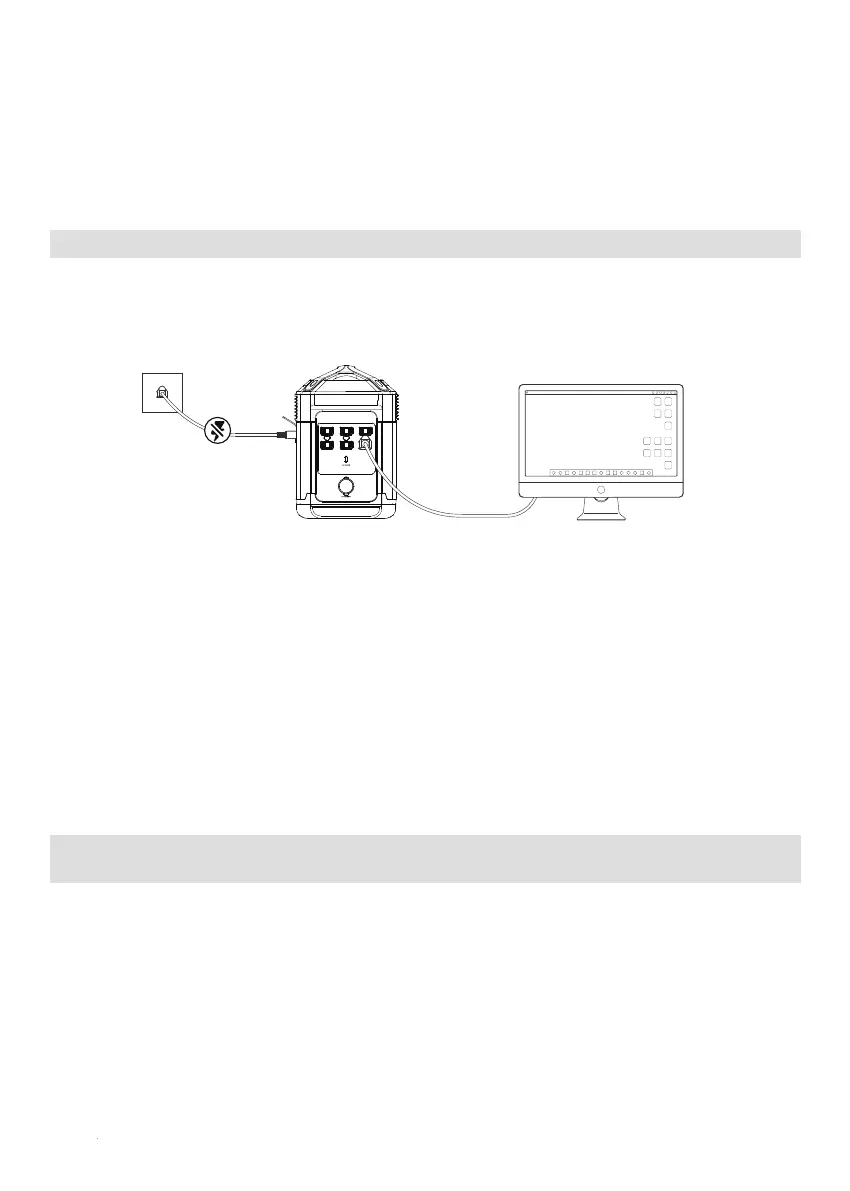
Users can connect the ONEUP 1000 AC charging cable to the power grid and connect a electricity device to ONEUP
1000 turn on the AC switch and automatically enter the entry-level UPS mode. When the external power is cut off, battery
will immediately supplied power to protect your device.
ONEUP 1000 supports the entry-level UPS function with the switching time of less than 30ms. In accordance with the UL
2743 standard, the AC output consist of a double blade, ungrounded configuration. Hence, it is recommended to use
the UPS function of ONEUP 1000 only for temporary emergency usage rather than for long-term usage. DO NOT use
electric appliances with bare metal when charging to avoid the risk of electric leakage and electric shock. It is
recommended NOT to use the UPS function of ONEUP 1000 for products such as databases, servers, etc. If you want to
use the UPS function for devices that is sensitive to the switching time, please purchase a professional-grade UPS
system. Please note that ONEUP is not responsible for any potential data loss due to the use of UPS function.
Notice:Because the AC outlets of the device are in a double blade, ungrounded configuration, it is recommended to
use the UPS function of the device for temperary emergency use only.
Warning:DO NOT use electric devcies with bare metal when charging to avoid the risk of electric shock.
1.Entry-Level UPS user guide
Users can connect no more than 2 fully-charged ONEUP 1000s in series using the AC charging cable to get continuous
power and supply appliances with high output requirements for up to 1.8 hours. In this mode, do not connect ONEUP
1000 to the power grid using an AC charging cable, or the overcurrent protection (<20A) may be triggered. Connect
ONEUP 1000 to a home power grid and charge each ONEUP 1000 separately. We do not recommend you to charge
more than two ONEUP 1000 at the same time. Otherwise, the excessive load may cause damage to the home power
grid. To use this function, you need to set one ONEUP 1000 as the Master and the others as Serve 1. Connect one AC
cable to the AC output port of the master unit and the other side to the input port of Serve 1. After connecting the
ONEUP 1000, turn all the AC switches on ONEUP 1000 on to activate multi-machine series mode. Finally, connect all
the appliances to the AC sockets of the Serve 1. Then you can charge your devices by using ONEUP 1000
and enjoy the benefits from extended powering time.
2. Series mode user guide
(Recommended for power users; all machines must be fully charged)
The principle of using it is when the power of an ONEUP 1000 is used up, the next machine can immediately replace it
to continue the power supply. This a entry-level UPS function that does not support 0ms in switching power.
Do not connect devices require high continuing power supply. Otherwise, please run multiple tests to confirm
it’s compatibility before connecting devices, such as data servers and workstations, with ONEUP 1000.
ONEUP does not take responsibility for any data loss or equipment damage caused by customers’ failure in
following the instruction.
10


 To Next Page
 Loading...