Devices that charge through a USB-C port, such as a MacBook Pro, Android phone, or other devices can be
charged by the ONEUP 1000 USB-C port. The USB-C Output icon will appear on LCD Display when a USB port is in
use.
3. USB-C Output Ports
The USB-A Output Indicator Light will automatically light up when a USB-A port is in use. Fast charge-enabled devices
can be charged at a maximum speed of 18W. If your device does not support fast charging, the device will charge in
regular speed.
5. Fast Charge USB-A Output Ports
Press and hold the power button to turn ONEUP 1000 on or off. When ONEUP 1000 is turned on the LCD Display Screen
will light up. To turn ON/OFF LCD Display Screen and keep ONEUP 1000 working, press the Power Button. The Power
Indicator Light will automatically light up when ONEUP 1000 senses any of the output ports is in use. The Power
Indicator Light will flash when none of ONEUP 1000’s output ports is in use, meaning ONEUP 1000 is in the Idle State.
After 5 minutes in the Idle State, ONEUP 1000’s screen will enter into the sleep mode( the battery is still running). After
30 mins of not using in Idle State, ONEUP 1000 will automatically shut down to protect its batteries.
6. Power ON/OFF Button
The AC power button controls the AC output of the ONEUP 1000. The AC power needs to be turned on manually. To
enable AC power, press the AC power button. When AC power is not in use to charge a device, press the AC power
button to turn off the AC power. Make sure to unplug the power cord from the AC port. When the AC power of the ONEUP
1000 is enabled, the AC indicator will light up. If the AC power is not used for more than 12 hours, the product will turn off
automatically.
7. AC ON/OFF Switch (PRESS & HOLD for ON/OFF)
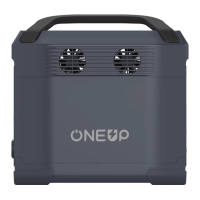
The fans prevent ONEUP 1000 from overheating.
8. Ventilation Fans
Charging devices that need car ports to be charged, such as drone batteries. The Car Outlet Indicator Light will
automatically light up when the car port is in use.
10. Car Outlet & Car Outlet Indicator
Charging devices that require 100-120V AC wall chargers to be charged,such as laptops, TVs, mini refrigerators,
vacuums etc,.
9. AC Output Sockets x6
Press DC ON/OFF to turn on or off ONEUP 1000 DC power. The DC ON/OFF button controls the ONEUP 1000’s DC
output. ONEUP 1000 could not recognize when low-power devices, such as earphone, is charging. So ONEUP 1000 is
designed to keep the DC power on for 24 hours. The DC power will go off after 24 hours of not using it. If you want to extend
your standby time to 24 hours, turn the DC button on.
4. DC ON/OFF Switch (PRESS & HOLD to switch ON/OFF) & DC Output Indicator
3


 To Next Page
 Loading...