INSTRUCTION
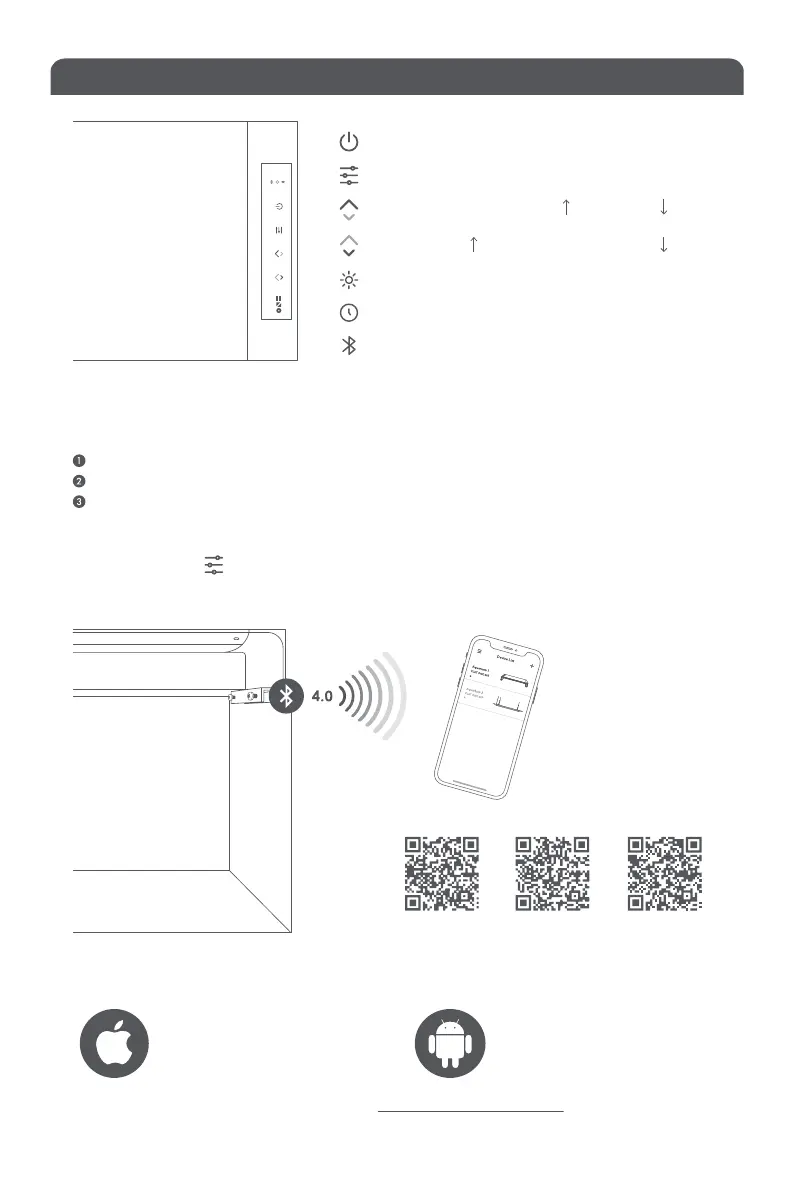
Plug in your ONF light , connect it with app before the blue indicator light stop flashing.
Open the ONF Link and click on " Device"
Click “+" on the right topto search, select your device to connect it.
=hpgehZ]HG?EbgduMak^^xlm^ilmhlmZkm?E:MHG>
Requires iOS 10 or later
:iie^
If you want to learn more information please search https://www.onf.com.tw/onf-link
Requires 6.0 or later
ON / OFF
MODE
( White light / Both / Blue light or Warm light )
BluelightorWarmlightWhite light
WhitelightBluelightorWarmlight
Timerindicatorlight
BTindicatorlight
Lampoperationindicatorlight
* If you want to disable the daylight circle mode and turn it to manual, please press and hold
the mode button for 10 seconds to release it. Press and hold this button again to resume
the daylight circle mode.
iOS Android
Xiaomi Market


 To Next Page