Functions
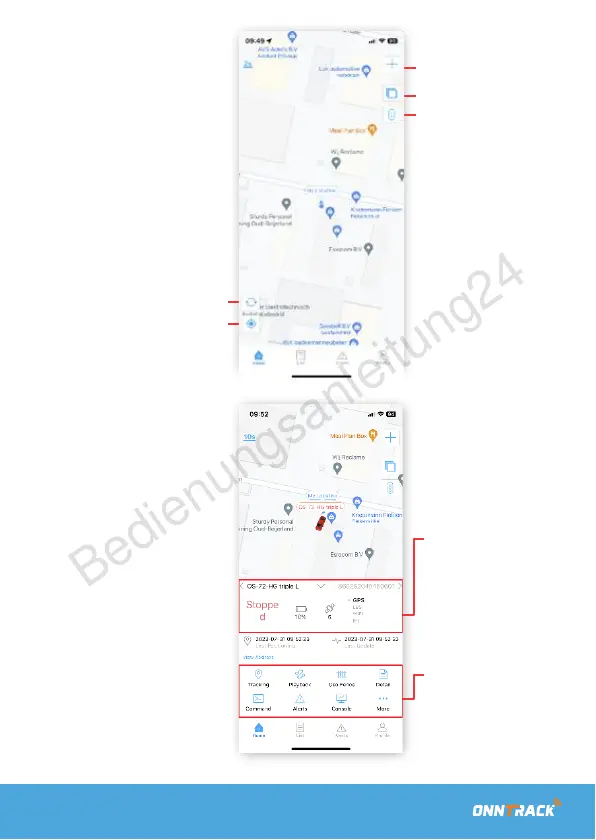
First, you will arrive at
the homepage. Here,
you can directly view
the real-time location of
your GPS tracker.
Add a tracker
Change card
T
r
ack
inf
or
ma
tion
Refresh location
Your location
Tracking
If you see the tracker on
the map, you can click
on it. You can also find
your tracker by clicking
on the 'List' button at the
bottom. Here, you will
get an overview of your
trackers. The screen you
will see offers the
following functionalities:
-
Tracker status
-
Battery level
-
Number of satellites
-
Locationdetermination per:
-
GPS, LBS of wifi
-
Follow: The realtime tracking
of your tracker
-
History: To review the
traveled route
-
GEO Zone: Receive an
alert upon entering or
exiting a zone
-
Detail: The data of a the
tracker
-
Assigment: Send a
command to the tracker
-
Alerts: Sent alerts
-
Console: Console display


 To Next Page