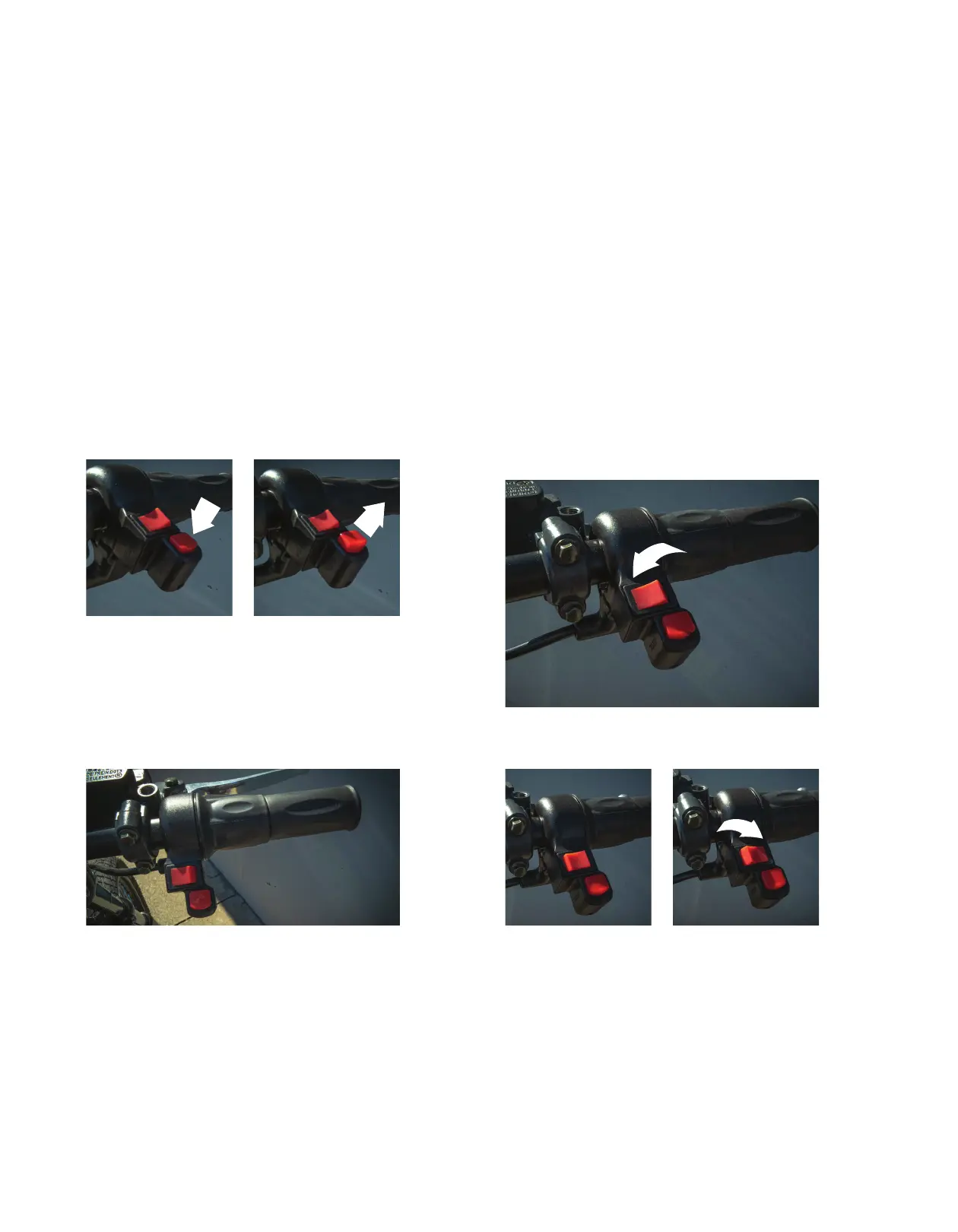
Kill Switch On
Fig. 04
Half-Twist Throttle
Fig. 06
Eco Mode
Fig. 07
Sprt Mode
Fig. 09
Kill Switch O
Fig. 05
Norm Mode
Fig. 08
THROTTLE KILL SWITCH ON / OFF
In total there are three ways to turn o the bike the
only way to completely turn o the bike is to turn o the
battery or disconnect it from the bike. The kill switch
allows the user to quickly turn o the bike by the push
of a button on the throttle. This does not deactivate the
system like the unlock button does on the key-fob. Only
use this button to temporarily turn o power to the
throttle. Never store or transport the bike only using
this button to kill the power.
(Fig. 04 + 05)
HALF-TWIST THROTTLE
A half twist throttle is used to help save energy by
encouraging you to rest your hand and coast. Warning:
the throttle is extremely sensitive.
(Fig. 06)
THREE SPEED SWITCH
Each bike is outtted with a three speed function
switch. This allows you to toggle through the software
limited modes of ECO / NORM / SPRT. Each mode can
be adjusted to meet your needs via the soon-to-be-
released mobile application. To activate each mode
eectively you should not be moving. Otherwise to work
properly you must bring the bike’s speed below the
mode’s threshold. Toggle from left to right starting with
ECO to get a feel for each mode. Note NORM and SPRT
mode are for o-road use only.
(Fig. 07 + 08 + 09)
OPERATING CONTROLS



 To Next Page