EasyManua.ls Logo

ooma Battery Backup - User Manual

ooma Battery Backup
8 pages
Print Icon
To Next Page IconTo Next Page
Loading...
Package Contents
Getting Started
Unplug Base Station
Power Supply
Unplug the AC adapter that came
with the Ooma Base Station and
set it aside.
Plug Power Bank In
Plug the AC adapter included
with the power bank into a power
source. Connect the AC adapter
to the power bank.
Turn Power Bank On
Turn the power bank’s power
button to the | (ON) position.
The power bank now acts as the
Base Station’s power supply as
well as its battery backup.
Connect Battery to
Base Station
Connect one end of the included
USB power cable to the power
bank and the other to the Ooma
Base Station power adapter.
The battery backups AC adapter
should remain plugged into a
power source.
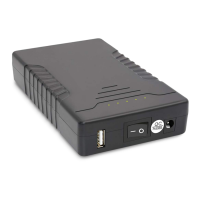
Power bank unit
USB power
cable
AC power
adapter
Quick Start Guide
STEP 1
STEP 3
STEP 4
STEP 2
From TalentCell
Question and Answer IconNeed help?

Do you have a question about the ooma Battery Backup and is the answer not in the manual?

Summary

Getting Started

Unplug Base Station Power Supply

Disconnect the Ooma Base Station's AC adapter and set it aside.

Plug Power Bank In

Connect the power bank's AC adapter to a power source and then to the power bank.

Connecting Battery to Base Station

Connect Battery to Base Station

Connect the USB cable from the power bank to the Ooma Base Station's power adapter.

Turn Power Bank On

Switch the power bank's power button to the ON position.

Device Indicators

Charging LED

Indicates charging status: red for charging, green for fully charged.

LED Power Gauge

Displays the approximate power level of the battery.

Power Switch

Controls the power bank's operation as a backup or to bypass it.

Important Safety Information

Handling and Storage Precautions

Avoid extreme temperatures, fire, water, jostling, and store in a cool, dry area.

Modification and Cable Usage

Do not modify, ensure cables are plugged correctly without force, use provided adapter.

Liquid Exposure Guidance

If liquid gets in eyes, do not rub; rinse with water and seek medical attention.

Summary

Getting Started

Unplug Base Station Power Supply

Disconnect the Ooma Base Station's AC adapter and set it aside.

Plug Power Bank In

Connect the power bank's AC adapter to a power source and then to the power bank.

Connecting Battery to Base Station

Connect Battery to Base Station

Connect the USB cable from the power bank to the Ooma Base Station's power adapter.

Turn Power Bank On

Switch the power bank's power button to the ON position.

Device Indicators

Charging LED

Indicates charging status: red for charging, green for fully charged.

LED Power Gauge

Displays the approximate power level of the battery.

Power Switch

Controls the power bank's operation as a backup or to bypass it.

Important Safety Information

Handling and Storage Precautions

Avoid extreme temperatures, fire, water, jostling, and store in a cool, dry area.

Modification and Cable Usage

Do not modify, ensure cables are plugged correctly without force, use provided adapter.

Liquid Exposure Guidance

If liquid gets in eyes, do not rub; rinse with water and seek medical attention.

Overview

The Ooma Battery Backup from TalentCell is a power bank designed to provide backup power to an Ooma Base Station, ensuring continued operation during power outages. It also functions as the primary power supply for the Base Station when connected.

Function Description:

The primary function of the Ooma Battery Backup is to act as an uninterruptible power supply (UPS) for the Ooma Base Station. When connected, it charges its internal battery while simultaneously powering the Base Station. In the event of a power interruption, the battery backup seamlessly switches to providing power from its internal battery, allowing the Ooma Base Station to remain operational. This ensures that voice services and other functionalities of the Ooma Base Station are maintained even when the main power source is unavailable. Additionally, it can be used as a standalone power bank to charge other devices via its USB port, though its primary design is for the Ooma Base Station.

Important Technical Specifications:

While specific capacity (mAh) and output voltage/current are not explicitly detailed in the provided pages, the device is designed to power the Ooma Base Station, implying a compatible voltage output (likely 5V or 12V, depending on the Ooma Base Station model). The power bank unit features a USB output port, an input port for its AC adapter, and a power switch. It includes LED indicators for power level and charging status. The package includes the power bank unit, an AC power adapter for charging the power bank, and a USB power cable to connect the power bank to the Ooma Base Station's power adapter. The charging LED on the AC adapter indicates charging status: red for charging and green for fully charged. The power bank itself has multiple LEDs to show its approximate power level, with more LEDs indicating a higher charge.

Usage Features:

  • Easy Setup: The setup process involves unplugging the Ooma Base Station's original AC adapter, plugging the power bank's included AC adapter into a power source, connecting the power bank's AC adapter to the power bank, and then connecting the power bank to the Ooma Base Station's power adapter using the provided USB power cable.
  • Seamless Power Transition: Once set up and turned on, the power bank acts as both the power supply and battery backup for the Ooma Base Station, providing an uninterrupted power supply during outages.
  • Power Level Indication: The power bank features LED power gauges that show the approximate remaining battery charge, allowing users to monitor its status.
  • Power Switch: A power switch allows users to turn the power bank to the "ON" position to use it as a backup battery or to the "OFF" position to bypass it, effectively using the original power source directly.
  • Versatile Charging: The power bank is charged using its dedicated AC power adapter, which also features a charging LED indicator.

Maintenance Features:

  • Charging Indicator: The AC adapter has a charging LED that lights up red when the power bank is charging and green when it is fully charged, providing clear visual feedback on its charging status.
  • Power Level Indicator: The power bank itself has multiple LEDs that indicate its approximate power level, helping users understand when it might need recharging.
  • Safety Warnings: The manual emphasizes several important safety guidelines for maintenance and handling:
    • Avoid exposure to extreme temperatures, fire, and water.
    • Do not jostle, subject to undue force, or throw the power bank.
    • Store in a cool, dry, indoor area.
    • Do not modify or disassemble the power bank.
    • Ensure all cables are plugged in correctly and without force.
    • Use only the provided AC adapter to charge the power bank.
    • In case of liquid contact with eyes, rinse with water and consult a doctor immediately.

These features and guidelines are designed to ensure the safe and effective operation and longevity of the Ooma Battery Backup.

ooma Battery Backup Specifications

General IconGeneral
Brandooma
ModelBattery Backup
CategoryCamera Accessories
LanguageEnglish