10
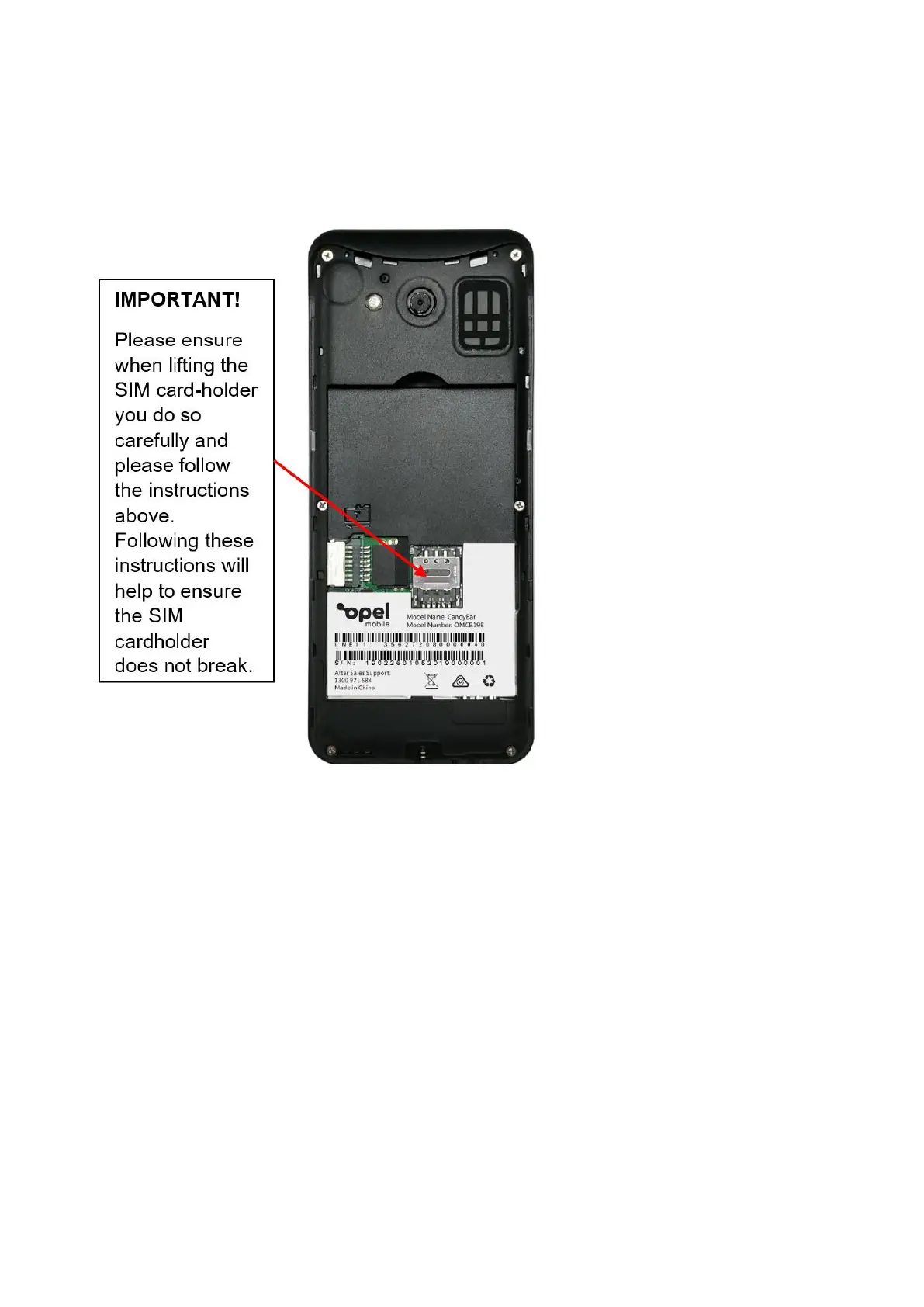
3. The SIM card tray is located in the lower middle of the phone, place your finger on the
SIM tray cover and slide down to unlock. Carefully lift the SIM tray cover so to not bend
or break the cover. Insert the nano sized SIM card, making sure the cornered edge of
the SIM card is located in the top left corner and the gold plates are facing down on the
gold plates of the SIM tray. Push the SIM tray cover back over the SIM card and slide up
to lock it into place.
Installing T-FLASH memory card (Optional accessory not included)
1. The T-Flash card (maximum 32GB) can be used as additional storage for photos, videos,
music and more.
2. The TF-Card holder (maximum 32GB) is located to the left of the SIM card tray.
3. Insert the TF-Card (maximum 32GB) by inserting the gold plate first, ensure the gold plate
is facing down onto the phone, then slide into place until it doesn’t go in any further.
Installing the battery
1. Insert the battery by aligning the 3 gold plates on the battery with the 3 gold pins on the
phone. Slide it in then push down to lock it into place
2. Put the cover back onto the phone, by aligning from the top first then clicking into place
around the phone.
Charging the Phone















 To Next Page