168 Introduction
The message "Add device to
known devices?", or a similar
message, appears on the display
of the mobile telephone.
8. Confirm this on the keypad of the
mobile phone by pressing OK.
Once a connection has been created
successfully, the message is added
to paired devices appears on the
display.
The connection between the mobile
telephone and the Infotainment
system has now been created.
Up to five devices can be added to the
list.
Closing the connection
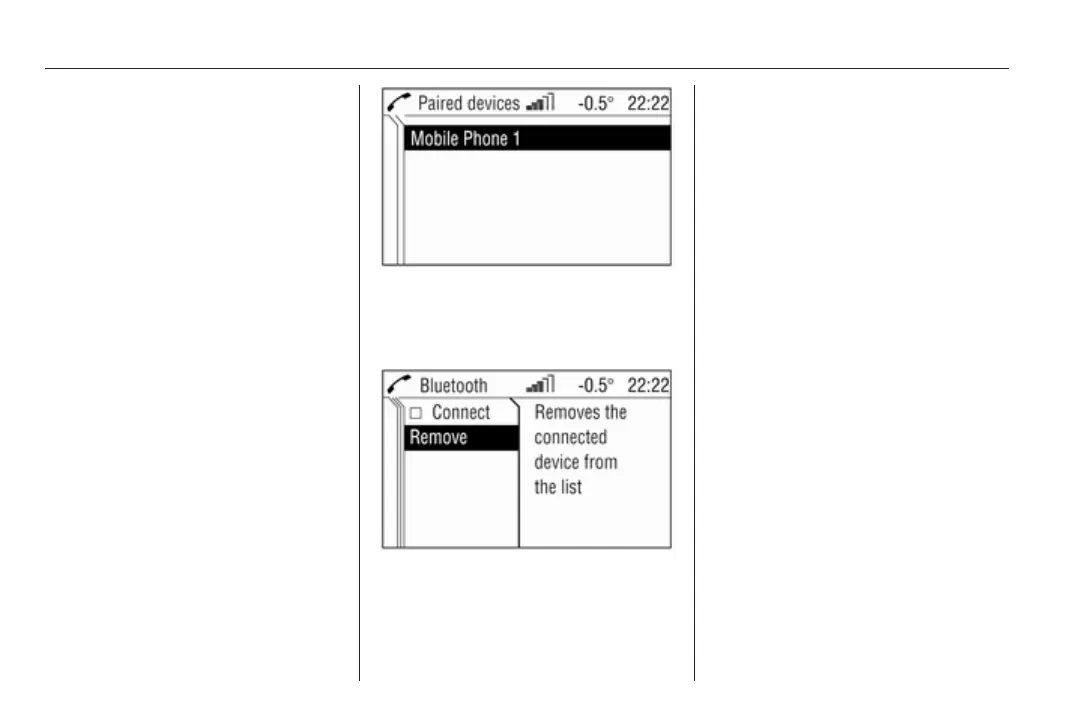
1. In the Bluetooth™ menu, select
Paired devices.
The Paired devices menu
appears on the display.
2. Select the required mobile
telephone.
The Bluetooth™ menu appears
on the display.
3. Deactivate Connect.
The message Disconnected!
appears followed once again by
the Bluetooth™ menu.
4. Select Remove.
The message Removed! appears
followed once again by the
Bluetooth™ menu.
UHP visible
Activating this function enables the
mobile telephone portal to be
detected by other Bluetooth™
devices. In this way e.g. a
Bluetooth™ connection can be
established from the mobile
telephone to the Mobile telephone
portal.
1. In the Bluetooth™ menu select
UHP visible.
The Mobile phone portal can be
seen by the other devices for the
next 3 minutes.
2. Start the mobile telephone's
search function for Bluetooth™
devices (see the operating









 To Next Page