Introduction 101
The station last tuned in to is
displayed.
You will hear the last station tuned in.
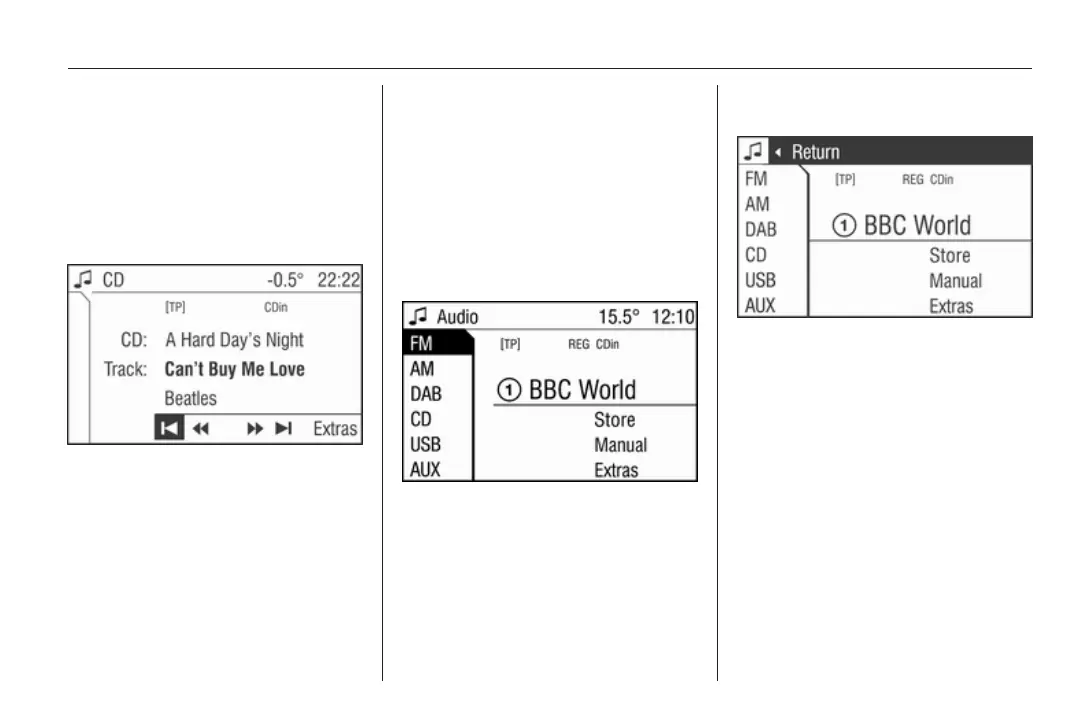
Selecting the CD menu
Press MEDIA button once or
repeatedly until the CD menu is
displayed.
If no CD is inserted, a corresponding
message is displayed.
The last CD track played is displayed.
You will hear the last CD track played.
Selecting the Audio menu
In the Audio menu, change between
the wavebands FM, AM, DAB (if
available) and CD, USB, AUX to
access the Sound menu.
To select the Audio menu, proceed as
follows:
In the radio, audio source or Sound
menus:
Turn the multifunction knob to the left
until menu item Return is displayed
on the title bar.
Press the multifunction knob.
The Audio menu is displayed.
Selecting the Sound menu
Press SOUND button.
The Sound menu is displayed.
Leaving a menu
There are two ways to leave a menu:
Leaving a menu with the multifunction
knob
Turn the multifunction knob to the left
until menu item Return is displayed
on the title bar.
Press the multifunction knob.
The next higher-ranking menu is
displayed.
This option is not available in the main
menu.
Or:
Turn the multifunction knob to the
right until menu item Main is
displayed on the bottom bar.
Press the multifunction knob.
The main menu is displayed.









 To Next Page