Navigation 61
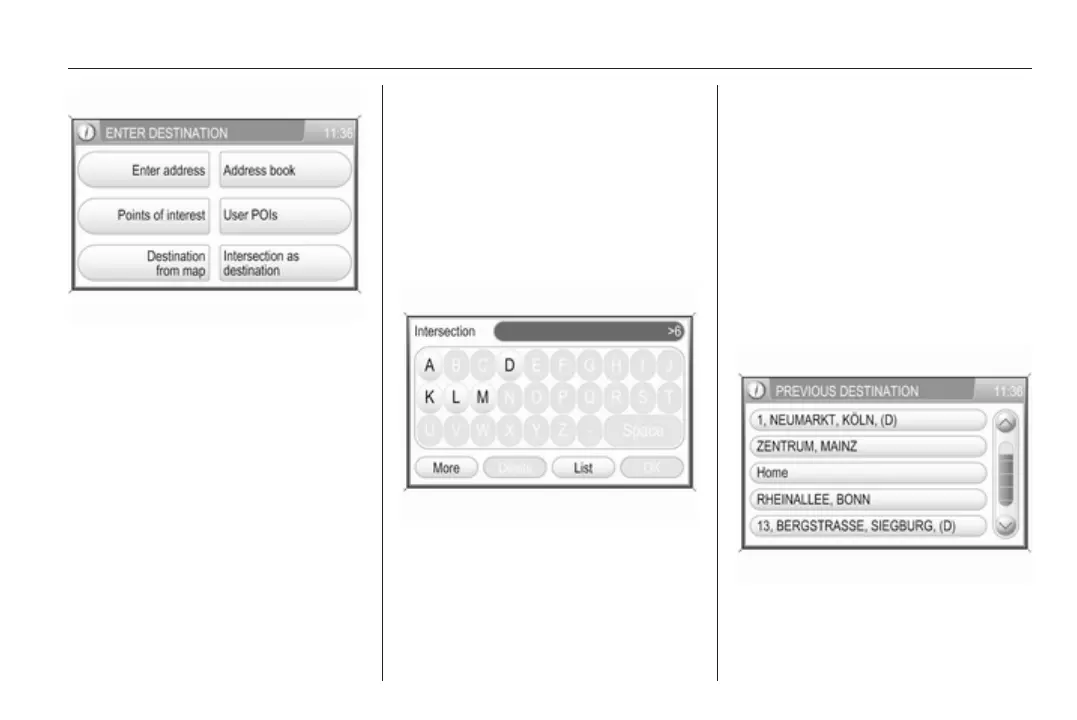
Select the Intersection as
destination menu item.
Perform operating steps 1 to 3 of
"Entering an address directly", see
above.
After entering a street name:
If there is only a single street that
crosses the previously specified
street, the CONFIRM
DESTINATION menu is displayed.
Continue with operating step 5 of
"Entering an address directly", see
above.
If there are 5 or less crossing streets,
a list of all crossing streets is
displayed. Select the desired
crossing street, and continue with
operating step 5 of "Entering an
address directly", see above.
If there are more than 5 crossing
streets, a menu with keypad for name
input is displayed.
Enter the name of a street that
crosses the previously specified
street, or select the List screen button
to directly display a list of all crossing
streets.
Select the desired crossing street,
and continue with operating step 5 of
"Entering an address directly", see
above.
Selecting a previous destination
Press the NAV button, and then
select the Previous Destinations
menu item.
A list is displayed, with destinations
that were previously used for route
guidance.
Up to 50 previous destinations will be
stored automatically. When the
number of previous destinations









 To Next Page