10 Introduction
Multifunction knob
The multifunction knob is the central
control element for the menus.
Turn:
Select commands, menu options or
letters.
Press:
Confirm the displayed selection.
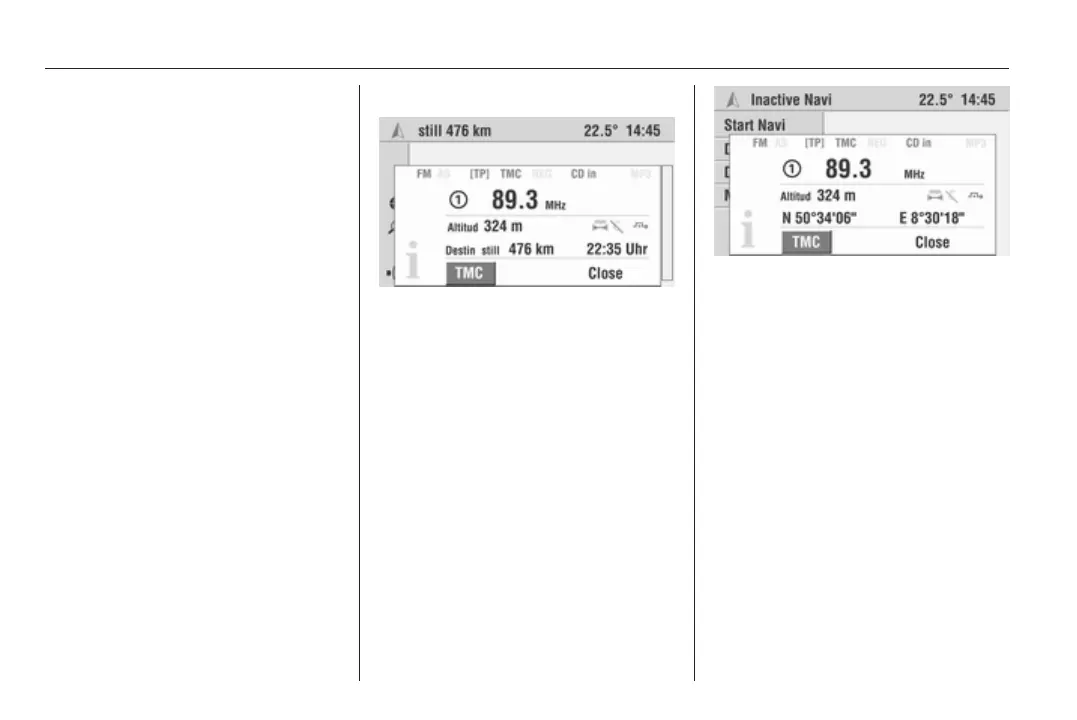
Info Menu
Pressing the INFO button displays
a summary of the most important
information on the selected audio
source, navigation and the current
traffic situation via RDS TMC.
The following information is available
in the info menu:
Audio parameters
The top two lines show information
about the audio function.
Symbols for the audio source settings
(e.g. FM/AM for the selected
waveband, [TP], REG, etc.).
Set radio station or current CD/MP3
track.
Display symbols 3 6.
Navigation parameters
The lower area of the info menu
displays information on the
navigation.
■ Current altitude above sea level
(provided adequate GPS reception
is available).
■ Selected route option, e.g. y.
■ Avoidance of toll roads C.
■ Dynamic guidance active B.
When active guidance is selected, the
following are also shown:
■ Distance remaining to destination.
■ Arrival or remaining travel time,
depending on navigation settings.
Display symbols 3 6.
If navigation is inactive:
Current geographical position with
latitude and longitude (provided
adequate GPS reception is
available).
TMC
You can receive up-to-date
messages on the traffic situation via
the TMC interface.
Main display
The main display is the display shown
after switching on the Infotainment
system. It can be recalled at any time
from a different menu display using
the MAIN button.
The various functions are displayed
depending on the equipment of the
vehicle.









 To Next Page