52 Navigation
You can now enter tour stages
(intermediate destinations).
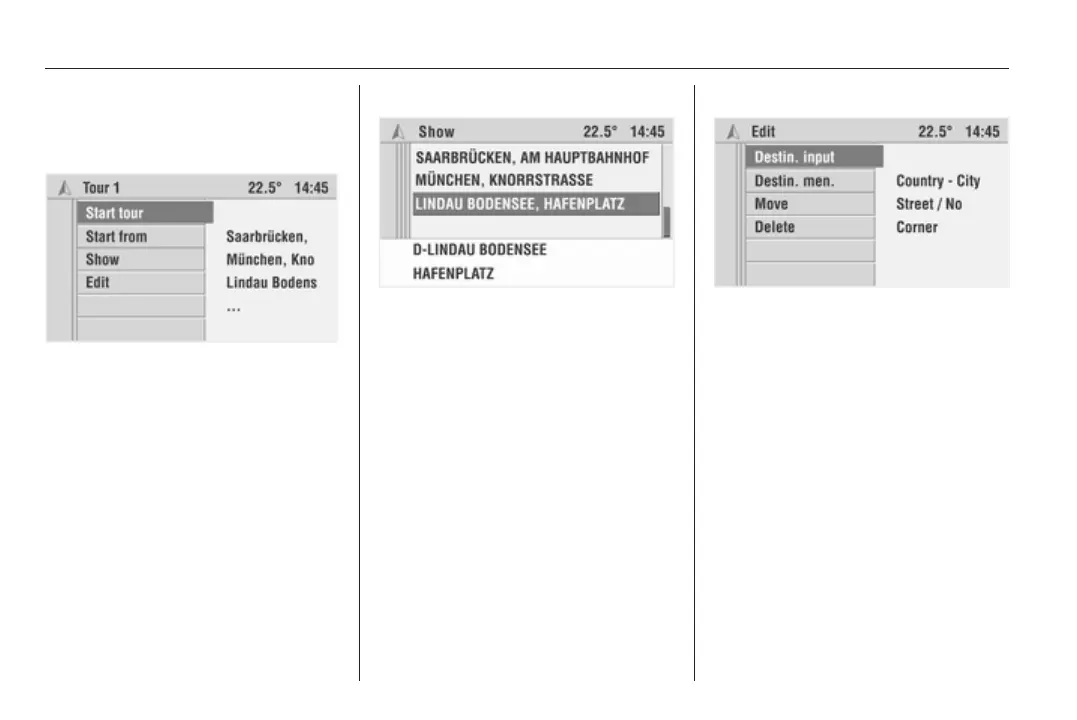
Starting a tour
Select a tour in the Tours menu.
To start guidance: Select Start tour.
All predefined tour stages
(intermediate destinations) are taken
into account for route guidance.
Skip predefined stages
If you want to skip predefined stages
on the tour and start direct guidance
to a certain stage: Select Start from.
The list of tour stages is displayed.
Select the desired tour stage. A route
is calculated that leads directly to the
selected tour stage.
Displaying a tour
With this function it is possible to view
the list of tour stages (intermediate
destinations) for the selected tour.
Select Show.
The list of tour stages for the selected
tour is displayed.
If you select one of the tour stages
from the list, the details of the address
are displayed.
Editing a tour
You have the following options in the
Edit menu:
■ Destin. Input: Add new destinations
to the tour.
■ Destination mem.: Add
destinations from the destination
memory to the tour.
■ Move: Move stages within the
selected tour.
■ Delete: Delete individual stages of
the selected tour or the entire tour.









 To Next Page