Navigation 55
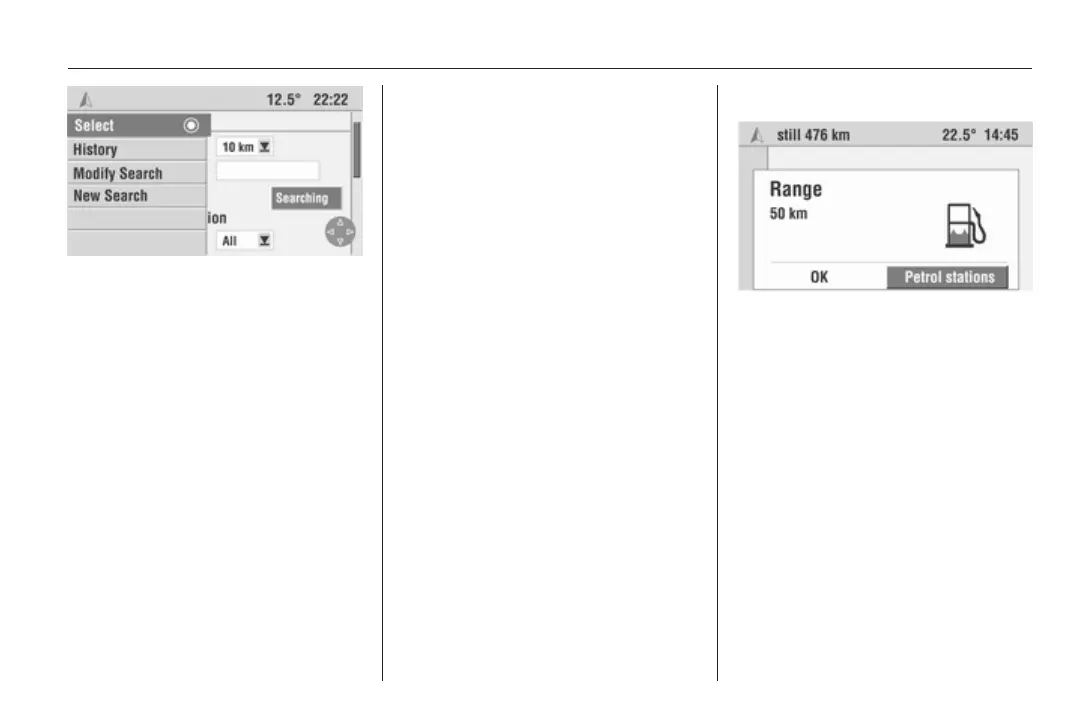
The browser also has a dynamic
menu. As soon as the multifunction
knob is turned, the following menu
items are available:
■ Select H: Confirms the selected
option. Subsequently pressing the
multifunction knob allows the option
to be changed, activated or
deactivated.
■ History: Displays the list of
previously viewed pages.
■ Modify Search: This option takes
you back to the criteria selection for
the current search.
■ New Search: This option allows you
to start a new search starting from
the start page of the travel guide.
Display of the results
After you have started a search, the
Infotainment displays the results of
the search in the form of a list.
The results contain the names of the
facilities and the distance from the
current location, destination or input
location.
Detailed information on the facilities
can be displayed by means of the
initial symbols. To do this, select a list
entry using the rocker switch and
confirm with the multifunction knob.
You can return to the results list by
selecting Return using the
multifunction knob.
Transfer to navigation system
In the detailed view, you can transfer
the selected facility directly into the
navigation system as a new
destination.
Petrol stop
As soon as the range calculated by
the trip computer has dropped below
a certain distance, the Infotainment
system informs you with a message
and offers you the option of planning
a route to a petrol station nearby.
Select Petrol stations.
A list of petrol stations in the vicinity is
displayed, sorted based on distance
from the current location.
The arrow indicates the direction of
the selected petrol station.
Only petrol stations included on the
navigation DVD/CD as points of
interest are displayed.









 To Next Page