Navigation 61
With a local detour, all traffic hold-ups
can be bypassed, even if they are not
viewed as critical by the evaluation of
the Infotainment system.
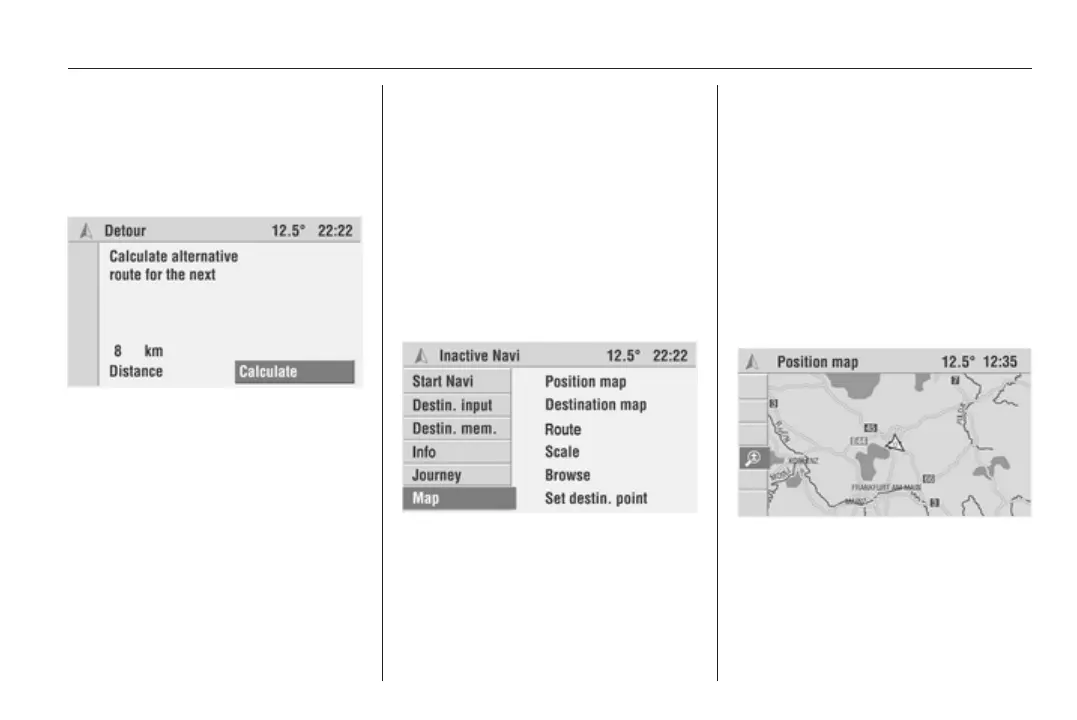
Planning a detour manually
The Infotainment system offers the
option of bypassing a specific part of
the calculated route (starting at the
current vehicle position), in addition to
the dynamic route guidance
functions.
1. Select the Detour menu item in
the guidance screen.
The Detour menu is displayed.
2. Select the Distance menu item,
then set the distance for the
detour to a value between 1 and
20 km.
3. Select Calculate.
An alternative route is calculated
for the specified distance (starting
at the current vehicle position).
4. Select Return to quit the Detour
menu.
Maps
Displaying the map
(Colour Info Display only)
The Infotainment system provides the
option of displaying a map at any
time, even if navigation is inactive.
A navigation DVD/CD must be
loaded.
If navigation is inactive:
Select the Map menu item in the
Navigation main menu.
The position map showing the current
vehicle position is displayed.
If navigation is active:
Select the Menu menu item in the
guidance screen.
Select the View menu item.
The position map showing the current
vehicle position and a cursor are
displayed.
In addition to the Position map menu
item, the following functions are
available in the menu bar.
■ Destination map: If a destination
has been entered, the map with the
area surrounding the current
destination is displayed.









 To Next Page