7
Busy Toot-toot-toot The phone is not ready to make a call. Check the lights
in the bo om of the phone and refer to sec on Status
lights for more details.
Status lights
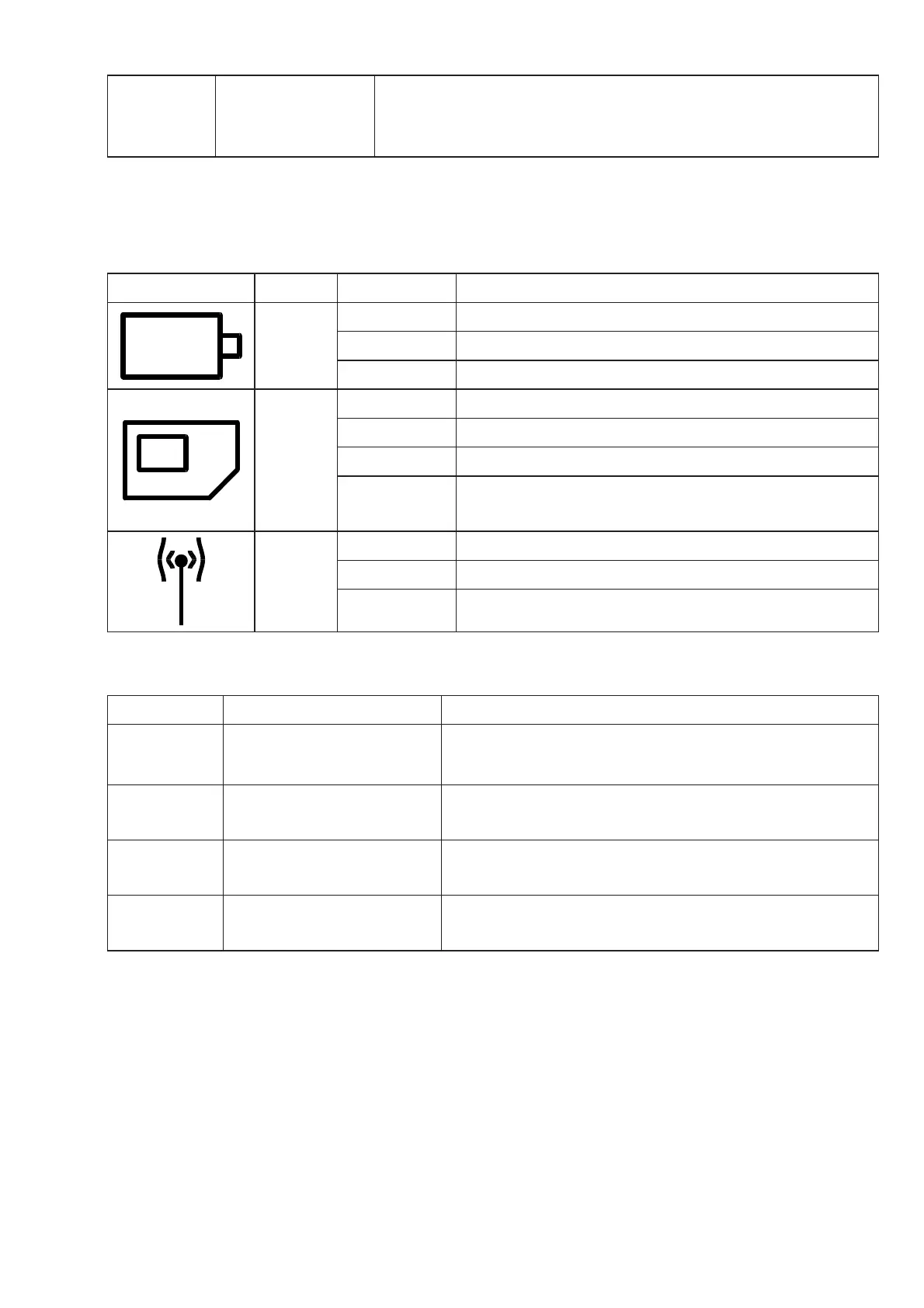
There are 3 diff erent status lights in the bo om of your Opis 60s mobile or PushMeFon
mobile (4). Please see the following table for details.
Light symbol Colour Indica on Meaning
Orange
Off Normal opera on or phone switched-off .
On Ba ery charging.
Flashing Ba ery cri cally low.
Red
Off All is fi ne.
On No SIM card is present.
Flashing SIM card requires PIN-entry.
Flashing
fast
SIM card requires PUK-entry.
Red
Off All is fi ne.
On Phone is not connected to a network.
Flashing Ac ve roaming lock prevents connec on.
Ring signals
Type Signal Meaning
OK 1 long ring Phone has accepted your last input.
Failure 2 short rings Phone has rejected your input, but you can try
again now.
Low power 3 short rings Phone ba ery is low. Connect to charger. See
also sec on Status lights .
Call Con nuous ring pause
alterna on
Incoming call.
Ba ery Policy
Ba eries shouldn’t just be thrown away. Please visit our website at www.opis-tech.
com/ba ery-policy to learn how to dispose the ba ery included in your Opis Technol-
ogy telephone safely.
Technical Specifi ca ons
• desktop mobile
• GSM mobile phone / GSM desk phone
• 2G quad-band support for best world-wide network coverage


 To Next Page
 Loading...