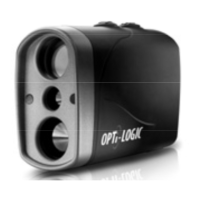
Product Features and Description:
Opti-Logic Laser Rangefinders use a unique yet simple technique to range a target: Press to
power on - release to range. This significantly speeds up and simplifies ranging to a target:
• Range Button: Press the Power/Range “ “ button, to power unit on, then release to
measure line-of-sight distance, angle or ballistics compensated distance.
• VAC™: Compensates for Projectile Ballistics.
• Mode Button: Press the Mode “M” button to select a variety of modes.
• Viewfinder: Range a target by looking through the viewfinder window for the Red Dot and
LED Display.
• User Programmable Mode: Your Opti-Logic Ballistics Compensated Laser Rangefinder is
user programmable to read with or without ballistics compensation in Yards or Meters.
• Battery Saving Automatic Timeout Feature: Replace the battery when BATT is displayed in
the Viewfinder.
• Automatic Rain Mode: For automatically enhanced ranging in poor weather conditions.
• Automatic Timeout: To save batteries, the instrument will automatically “time out” after
remaining idle for approximately 8 seconds.
• LED Indicators: 3 LED’s on the back panel indicate mode condition.
• Automatic Scan Mode: Converts to automatic scan mode when range button is held down.
• Scan Mode Icon: Scan mode icon rotates while scanning.
• Display Brightness: Adjusts for Dark to Bright ranging situations.
PAGE 3


 To Next Page
 Loading...