opuscamper.com.au
13
SETTING UP YOUR
OPUS CAMPER
Unlatch & open the front lid completely.
Gas struts are
tted to aid the process and
support the weight of the lid at this stage.
Secure the front lid to the front toolbox with
the over-centre latch and retaining pin.
STEP 6
Repeat the process with the rear lid he
two rear bed support legs into place. Ensure that
the D-pin clips are fully secured on the rear bed
end section by inserting them through the holes
and securing them with the clip.
STEP 7
Walk around the OPUS
and inspect the tent to ensure that the canvas is properly located
within the aluminium channels and that no part of the tent is caught or snagged.
STEP 8
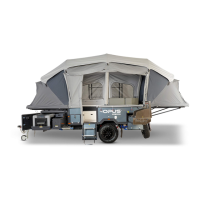
Turn the power key ON. Turn the pump master switch ON. Push the pump button and watch your
camper
ate!
STEP 11
Fit each corner of the canvas over the corner of each
bed tray. The seam on the canvas should line up with
each corner of the bed lid. If your camper is
tted
with corner straps, secure to hook. Make sure that
the door is zipped (closed) before in
ation.
STEP 9
Ensure the main internal air valve is open (vertical/in
line). Tighten all external air valves on each air beam
(5 on tent and 7 on annexe).
STEP 10
Once pump shuts off, CLOSE the main internal valve to lock off air system. You may also wish to
close some cross linking valves to retain constant pressure over an extended stay.
STEP 12
Initial Steps
OP 4 USER MANUAL | version 2.0



 To Next Page