EasyManua.ls Logo

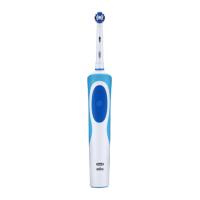
Oral-B 3754 - User Manual

Oral-B 3754
25 pages
Print Icon
To Next Page IconTo Next Page
Loading...
91073117_OP020_CN.indd 1 06.04.20 11:48
90095764_UI_booklet_120x170_iO7-9_HKTW_2D.indd 190095764_UI_booklet_120x170_iO7-9_HKTW_2D.indd 1 02.06.22 11:3302.06.22 11:33
Stapled booklet, 120 x 170 mm, 26 pages (incl. 6 pages cover),
Cover 4c, Inhalt black + PMS 288 C

Questions and Answers

  • M
    michaelcharlesAug 9, 2025
    Why is my Oral-B Electric Toothbrush handle not charging?
    • J
      John CookAug 10, 2025
      Your Oral-B Electric Toothbrush handle might not be charging because the battery is at a very low level, and it may take 10-15 minutes until the display turns on. Also, the ambient temperature might be out of the valid range (less than 0°C or greater than 40°C), or the charger may not be properly connected. To resolve this, charge the handle for at least 30 minutes. It is recommended that the ambient temperature for charging is 5°C to 35°C. Also, ensure the charger is connected to the mains voltage.
  • T
    teresapopeAug 19, 2025
    Why does my Oral-B Electric Toothbrush make rattling/loud noise during brushing or turning on?
    • J
      Jay SimmonsAug 20, 2025
      The rattling or loud noise during brushing or turning on your Oral-B Electric Toothbrush may be due to the brush head not being placed correctly onto the brush handle, or the brush head may be worn. Check that the brush head fits properly on the handle, noting that a small gap remains in between. If the brush head is worn, replace it.
  • D
    Danielle GreenAug 30, 2025
    What to do if my Oral-B 3754 Electric Toothbrush handle is not operating during first use?
    • J
      Joshua StoneAug 30, 2025
      If your Oral-B Electric Toothbrush handle is not operating during the first use, it could be due to a very low battery charge or operating outside the standard temperature range. If the battery has a very low charge, charge it for at least 30 minutes. Always operate the toothbrush in standard operating temperatures (greater than 0°C and less than 40°C).

Summary

Important Safety Guidelines

Critical Warnings and Precautions

Liquid Exposure Hazards

Do not place charger, plug, or case in water or liquid to prevent shock.

Initial Setup and First Use

Charging and Operating Instructions

Battery Charging Procedure

Place handle on charger; check charge level on display. Full charge takes approx. 3 hours.

Operating Your Oral-B iO Toothbrush

Starting Your Brushing Session

Attach brush head, wake handle, wet head, apply toothpaste, guide to teeth before activating.

Brushing Technique and Gum Care

Guide brush head systematically; consult dentist for technique. Expect minor gum bleeding initially.

Timer Functionality and Feedback

Timer signals quadrant changes and 2-minute brushing completion.

Smart Pressure Sensor Operation

Sensor uses light colors to indicate pressure; reduces speed under high pressure.

Understanding Brushing Modes

Details different modes like Daily Clean, Sensitive, Gum Care, Whiten, Intense, Super Sensitive, Tongue Clean.

Oral-B iO Brush Head Information

iO Brush Head Selection and Replacement

Use specific iO heads; INDICATOR bristles signal need for replacement every ~3 months.

Connecting to Your Smartphone via Bluetooth

App Download and Bluetooth Pairing

Download Oral-B App; follow instructions to pair handle via Bluetooth for full functionality.

Cleaning and Maintenance Procedures

Product Guarantee and Warranty Information

Troubleshooting Common Problems

Toothbrush Operational Faults

Addresses handle not operating, low battery, temperature errors, and timer issues.

Charging and Noise Troubleshooting

Resolves issues like handle not charging, incorrect ambient temperature, and operational noise.

Oral-B 3754 Specifications

General IconGeneral
Model3754
TimerYes
Power SourceRechargeable battery
ModesDaily Clean
Timer Intervals2 minutes
Battery TypeNiMH
Included AccessoriesCharger, 1 Brush Head
Warranty2 years
Cleaning TypeOscillating

Related product manuals