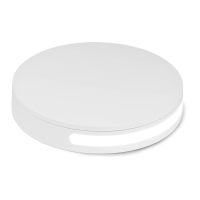
Thank you for purchasing the Foldio360 smart turntable.
Foldio360 is a convenient smart turntable that allows you to create 360° images anywhere.
You can create 360° images with your smartphone or digital camera. Experience a whole new world of online contents with the Foldio360.
Connect the turntable with the DC adapter.
The power connector is located at the boom of the device.
Use the ‘Foldio360’ applicaon to connect your smartphone
with the turntable via Bluetooth. You can download the ‘Foldio360’ applicaon
from Apple App Store or Google Play Store.
On Display Mode the turntable will connue to rotate counterclockwise.
During Display Mode, HALO EDGE™ Light and Bluetooth connecon
will be inacve.
How to enable, disable Display Mode
- Automac Shoong system : The system automacally creates 360° images
with Bluetooth or IR remote.
- HALO EDGE™ : The Halo Edge light technology created by Orangemonkie,
eliminates the outline of the turntable when creang 360° images.
- BLE : By Bluetooth 4.0 technology, the turntable connects with supported
smartphones.
- IR : By IR remote transmier built in the turntable, the device can be connected
with cameras supporng IR remote funcon.
On : Press and hold the MODE buon for about 2 seconds unl the LED indicator blinks.
Off : Press and hold the MODE buon for about 2 seconds unl the LED indicator blinks.
To enable HALO EDGE™ Light, turn off ‘Display Mode’ and connect the turntable
with your smartphone via Bluetooth and execute ‘Control Mode’. For details of
‘Control Mode’ please refer to app instrucons on hp://www.orangemonkie.com
Place object on the center of the turntable and start creang your
360° image with your smartphone or DSLR camera.
When creang 360 images with the Foldio360, use a tripot to immobilize
your smartphone or camera to enhance the quality of your image.
About Foldio360
Rotary plate
HALO EDGE™ light
2
5
4
LED Indicator & IR transmier
Product Overview
Display Mode
Technology
· Smartphone with bluetooth 4.0(BLE) support
· iOS 7.1
· Android 4.3
System requirements
- Anyone can use the turntable by downloading the ‘Foldio360’ app available in
iOS / Android.
- You can easily embed or share your 360° images created with the Foldio360
through the plaorm developed by Orangemonkie.
For details, check hp://orangemonkie.com
S/W
How to use
DC IN / DC power connector
MODE switch / Display mode switch
1
2
3
4
5
Specificaon
3
1
1
2
3
Precauon
On BLUETOOTH communicaons
· BLUETOOTH wireless technology operates within a range of about 10 m (30 feet).
Maximum communicaon range may vary depending on obstacles (human body, metal, wall, etc.)
or electromagnec environment.
· BLUETOOTH communicaons may be disabled,
– There is a human body between the unit and the BLUETOOTH device. This situaon may be
improved by placing the BLUETOOTH device facing the antenna of the unit.
– There is an obstacle, such as metal or wall, between the unit and the BLUETOOTH device.
– A device using 2.4 GHz frequency, such as a Wi-Fi device, cordless telephone,
or microwave oven, is in use near this unit.
· Because BLUETOOTH devices and Wi-Fi (IEEE802.11b/g/n) use the same frequency (2.4 GHz),
microwave interference may occur resulng in noise or audio dropout or communicaons
being disabled if this unit is used near a Wi-Fi device. In such a case, perform the following.
– Use this unit at least 10 m (30 feet) away from the Wi-Fi device.
– If this unit is used within 10 m (30 feet) of a Wi-Fi device, turn off the Wi-Fi device.
– Install this unit and the BLUETOOTH device as near to each other as possible.
· Microwaves eming from a BLUETOOTH device may affect the operaon of electronic
medical devices. Turn off this unit and other BLUETOOTH devices in the following locaons,
as it may cause an accident: – where inflammable gas is present, in a hospital, or a petrol
staon – near automac doors or a fire alarm.
· Using the BLUETOOTH device may not funcon on mobile phones, depending on radio wave
condions and locaon where the equipment is being used.
· Do not use the unit on an airplane. Radio waves may affect instruments, causing an accident
due to malfuncon.
· This unit supports security capabilies that comply with the BLUETOOTH standard to provide
a secure connecon when the BLUETOOTH wireless technology is used, but security may not
be enough depending on the seng. Be careful when communicang using BLUETOOTH
wireless technology.
· We do not take any responsibility for the leakage of informaon during BLUETOOTH
communicaons.
· Connecon with all BLUETOOTH devices cannot be guaranteed.
– A device featuring BLUETOOTH funcon is required to conform to the BLUETOOTH standard
specified by Bluetooth SIG, Inc. and be authencated.
– Even if the connected device conforms to the above menoned BLUETOOTH standard,
some devices may not be connected or work correctly, depending on the features or
specificaons of the device.
· Depending on the device to be connected, it may require some me to start communicaons.
Size
Halo Lighng
Max. load
250mm x 250mm x 45mm ( 10” x 10” x 1.7” )
Material White Plasc
15chips / 45cells / Daylight 5700k / White
Up to 5kg ( 11lbs )
Bluetooth 4.0 (BLE) for Smartphone
IR remote control for DSLR
Input Power
Applicaon
DC 12V / 1.2A
Foldio360 app ( iOS / Android )
Operang temperature 0°C ~ + 40°C (Typ 25°C)
Supported
Communicaon
MODEDC IN
MODEDC IN


 To Next Page
 Need help?
 General