The GA800HV is a FASST compatible receiver designed for remote control applications, primarily for air and surface systems. It offers a range of features and specifications that make it suitable for various hobbyist and professional uses.
Function Description:
The GA800HV serves as a receiver for FASST 2.4G Air Systems and Surface Systems. It is compatible with a wide array of Futaba FASST transmitters and modules, including 6EX, 7C, TM-7, TM-8, T8FG, T10C, TM-10, T10CG, 14SG, T12Z, T12FG, TM-14, T14MZ for air systems (7CH Mode/Multi Mode), and 3PK, 4PK for surface systems (C1 Mode). A key feature of the GA800HV is its ability to be paralleled with another GA800HV unit to create a 14-channel FASST compatible receiver, effectively expanding the number of available channels for more complex models. This ganged configuration allows for flexible placement of the two receivers within the model. The receiver also incorporates failsafe functionality, offering two selectable setting options: either utilizing the native failsafe position preset on the transmitter side or setting the failsafe directly on the receiver. It boasts improved anti-interference capabilities, contributing to more reliable operation.
Important Technical Specifications:
- Operating Voltage Range: 3.5V to 8.4V, providing flexibility with various battery setups.
- Dimensions: 47.5mm x 25.3mm x 15mm, indicating a compact size suitable for integration into different models.
- Weight: 11g, making it lightweight and minimizing impact on model performance.
- Latency:
- 14ms in FS (Full Speed) mode.
- 7ms in HS (High Speed) mode. This lower latency in HS mode is particularly beneficial for high-speed digital servos, offering quicker response times.
Usage Features:
- Binding Procedure: The binding process is straightforward. Users turn on the transmitter, connect the battery to the receiver while pressing the receiver's F/S button. The binding is complete when the RED LED turns off and the GREEN LED becomes solid.
- Failsafe Setting:
- Transmitter-side Failsafe: If failsafe is not disabled on the transmitter, the GA800HV will automatically use the native failsafe position preset on the transmitter.
- Receiver-side Failsafe: To set failsafe on the receiver, users first bind the receiver and disable failsafe on the transmitter. Then, they set all transmitter controls to the desired failsafe position and briefly press the receiver's F/S button. The GREEN LED will flash twice, confirming successful failsafe setup. To disable this failsafe, the receiver needs to be re-bound to set the default failsafe mode.
- PPM Mode Switching (FS/HS): The receiver supports two PPM modes: FS (Full Speed) and HS (High Speed). To switch between these modes, the transmitter must be off. Users connect the battery to the receiver, press and hold the F/S button for 6 seconds, and then release it. The red LED will flash fast for HS Mode and slow for FS Mode, alternating with each repetition of the process.
- Ganged, Multi-Channel Receiver Configuration: To create a 14-channel system, two GA800HV receivers are used. Both receivers must be bound to the transmitter/module. A jumper is then used to connect CH1 and CH2 of one receiver (labeled as R7008HV in the manual, likely a typo referring to the GA800HV itself), which shifts CH3 to CH9, CH4 to CH10, and so forth. This allows for expanded channel control.
- LED Status Indicators: The receiver provides clear LED indicators for various operational states:
- Normal Mode: RED LED Off, GREEN LED On.
- Waiting to be Bound: RED LED On, GREEN LED On.
- Signal Lost: RED LED Flashing, GREEN LED On.
- Set Failsafe: RED LED On, GREEN LED Flashing twice.
- FS Mode: RED LED Flashing slowly, GREEN LED On.
- HS Mode: RED LED Flashing fast, GREEN LED On.
Maintenance Features:
- Firmware Upgradable: The GA800HV's firmware can be upgraded, allowing for future enhancements, bug fixes, and compatibility updates, thus extending the lifespan and utility of the receiver.
Important Considerations:
- HS Mode for Servos: It is crucial to note that HS Mode is exclusively for high-speed digital servos. Using other types of servos in HS Mode can lead to overheating or even burnout of the servos. Therefore, for standard or analog servos, FS Mode should always be selected.

 Need help?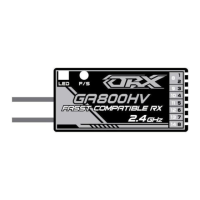

 To Next Page
 General