17
EN
Automatic shutdown
If you are not using the balance (no one is standing on it) and the display shows a
few seconds „0.0 kg“, the balance switches off automatically.
If you used the application on a smartphone, turn it off and turn off the Bluetooth
interface on it.
Normal weighing without a smartphone
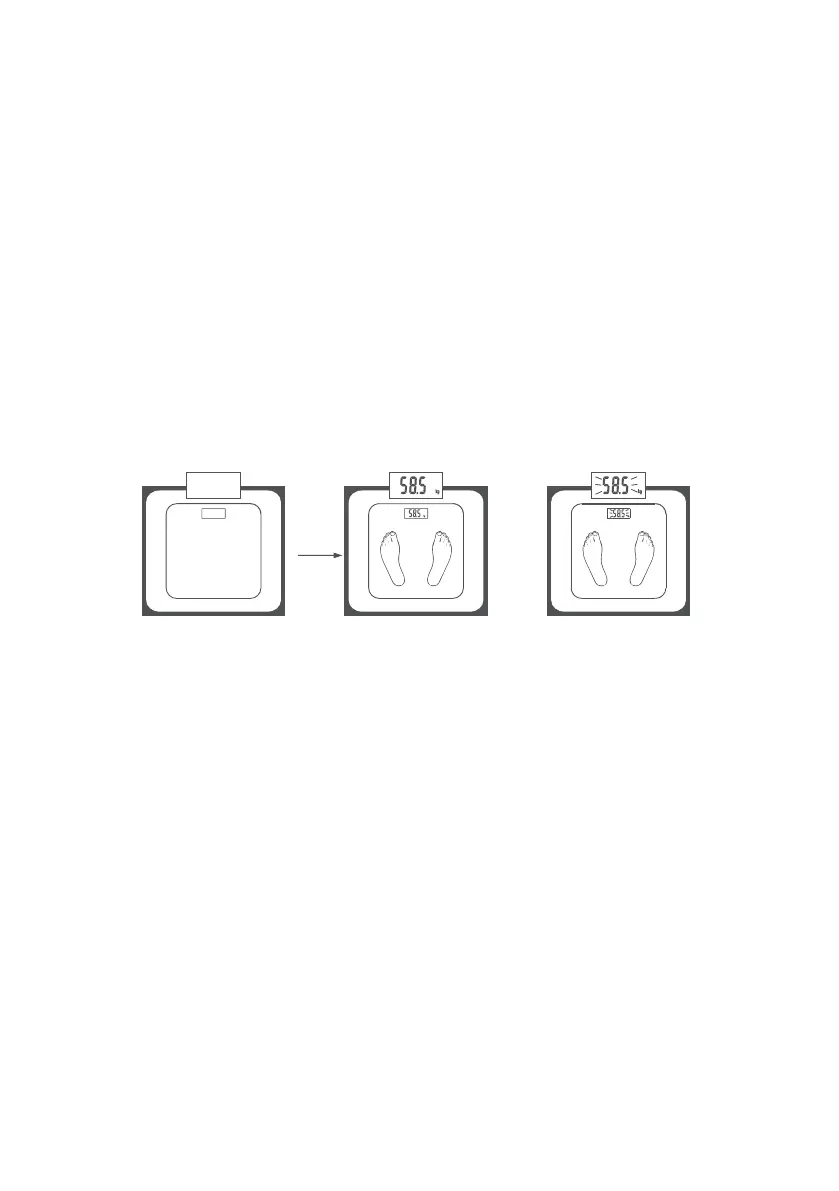
1 Switch on the balance by pressing lightly on one part of the footrest and wait a
while until „0.0 kg“ appears on the display.
If the error message „Err“ appears instead of „0.0 kg“, wait until the balance
switches off and on again.
2 When the balance is switched on, stand gently on the balance (you do not have
to be barefoot) in peace and with the balance evenly distributed on both feet.
3 The balance starts measuring immediately. Wait until your fixed weight
(eg „58.5“) appears on the balance display.
Analysis of results
The proportion of body fat
The following % body fat values are a guide for you (contact your doctor for more
information).
Male
Age Well done All right On average Unfit
10-14 <11% 11-16% 16,1-21% >21,1%
15-19 <12% 12-17% 17,1-22% >22,1%
20-29 <13% 13-18% 18,1-23% >23,1%
30-39 <14% 14-19% 19,1-24% >24,1%
40-49 <15% 15-20% 20,1-25% >25,1%
50-59 <16% 16-21% 21,1-26% >26,1%
60-69 <17% 17-22% 22,1-27% >27,1%
70-100 <18% 18-23% 23,1-28% >28,1%


 To Next Page
 Loading...