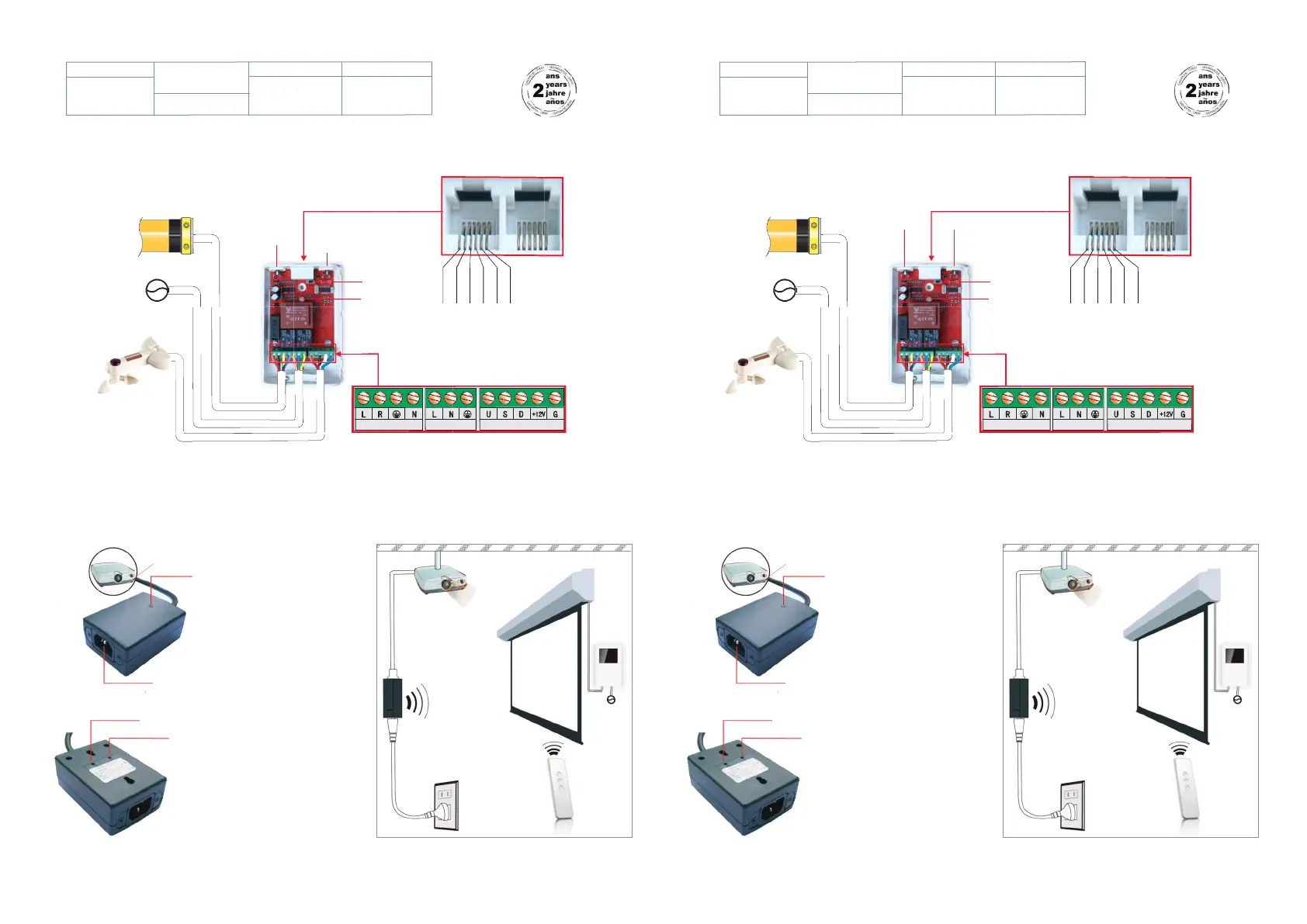
1 Caractéristiques 1 Features
Motor
Power input
PROG button MANUAL button
Indicator switch
Indicator light
Power off before wiring
Avoid static damage
Earth wire must be connected well and correctly
Motor Manual switchPower input
2 a - Connecting the receiver to the screen
Moteur
Secteur 220V
Bouton de
Programmation
Bouton de
commande
M
anuel
Inverseur
de direction
Led
Couper l'alimentation avant branchement
Prévenir les risques d'electricité statique
La Terre doit être correctement raccordée
'"#
"!!#$' "#
"#
" #$' "#
Motor Manual switchPower input
T
ension
230VAC 50Hz
T
emperature
de fonctionnement
0°c ~ + 45°c
F
réquence
RF 433,92HZ
P
uissance
< 1 000 W
V
oltage
230VAC 50Hz
W
orking
temperature
0°c ~ + 45°c
F
requency
RF 433,92HZ
R
ated power
< 1 000 W
Serial B line
Serial A line
Manual COMMON line
Manual UP line
Manual STOP line
Manual DOWN line
SERIE B
SERIE A
COMMUN
MONTÉE
STOP
DESCENTE
2 b - Connecter le boîtier trigger au vidéoprojecteur
2 a - Câbler le récepteur radio sur l’écran
Secteur
220V
" $
" "
&
% #"
" "
2 b - Connecting the trigger to the projector
AC Power
input
220V


 To Previous Page
 Loading...