English
- 11 -
CHRONOS Programmable Thermostat User Manual
PROGRAMMING MENU
With this menu it’s possible to modify the
following operating parameters:
- Date and time
- Automatic operation programs
- Automatic operation temperatures
- Timings
- Advanced functions.
5JNFBOEEBUFNPEJGJDBUJPO
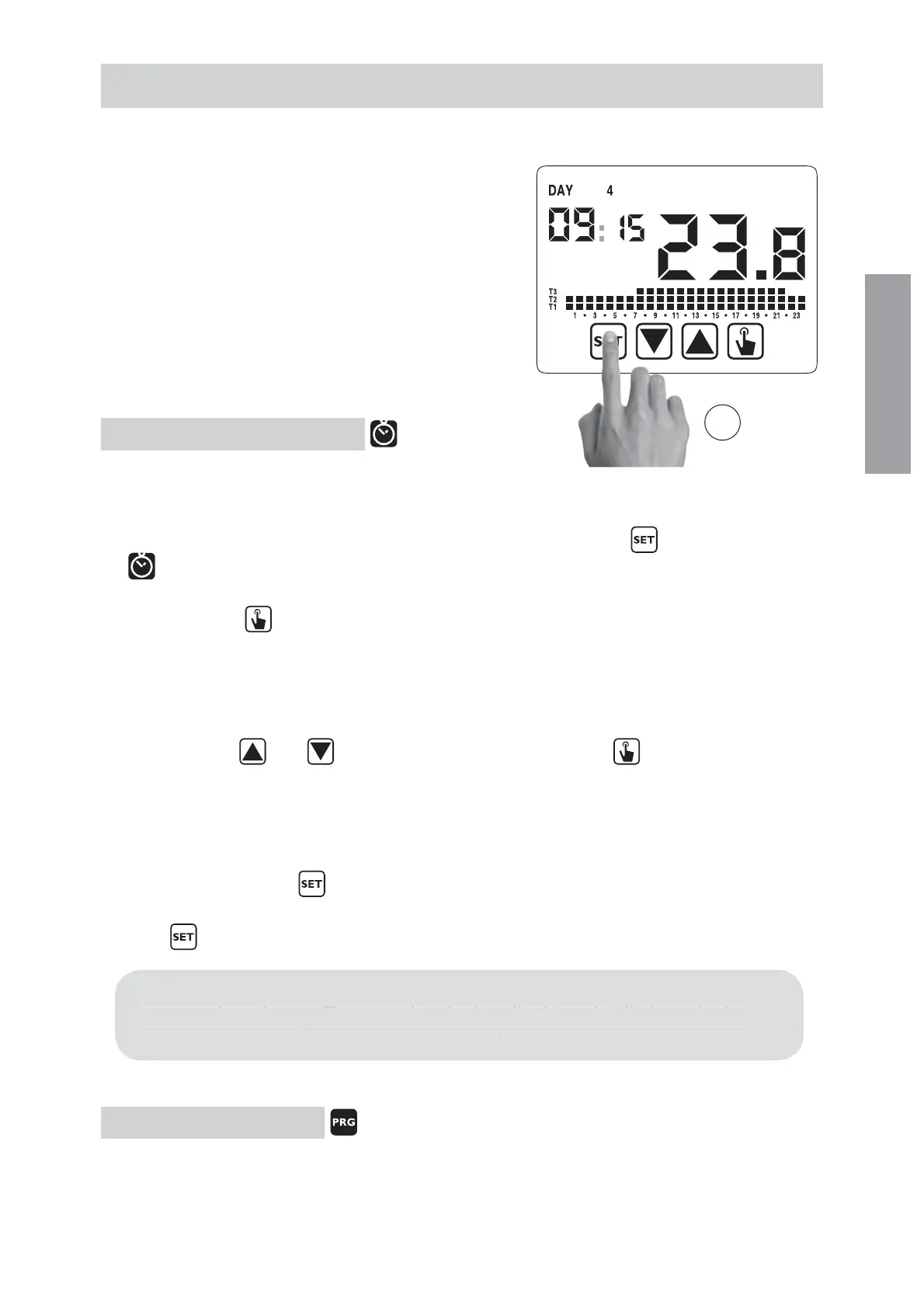
To modify the hour and the date set:
1. From normal operating display, press for a long time the key
until the symbol
starts flashing on field
2. Press the key
to access parameters modification. The seconds field starts
flashing. Parameters sequence to set:
seconds* -> minutes -> hours -> month ->day
3. Use the keys
and to modify the values and the key to confirm moving to
the next parameter.
(*) for seconds it’s possible only the synchronisatin at value 00
4. Once all parameters are set, to exit and to go back to the programming menu, press
a short time the key
.
To exit and to go back to the normal operating (automatic, manual) press for a long
time
or wait for the time-out expiration (30 seconds about).
Inside this menu it’ s also possible to modify the parameters for winter/
summer time change. The procedure is described in a detailed way in the
chapter “Summer time change” on page 23.
1SPHSBNTNPEJGJDBUJPO
This menu allows to modify the programmings of the automatic operation.
In default status the instrument is configured to perform the program P1 from Monday
3s
nside this menu it’ s also
ossible to modif
the
arameters for winter
ummer time chan
e. The procedure is described in a detailed way in the
chapter “
ummer time change” on page 23


 To Next Page