English
- 24 -
CHRONOS Programmable Thermostat User Manual
To change settings:
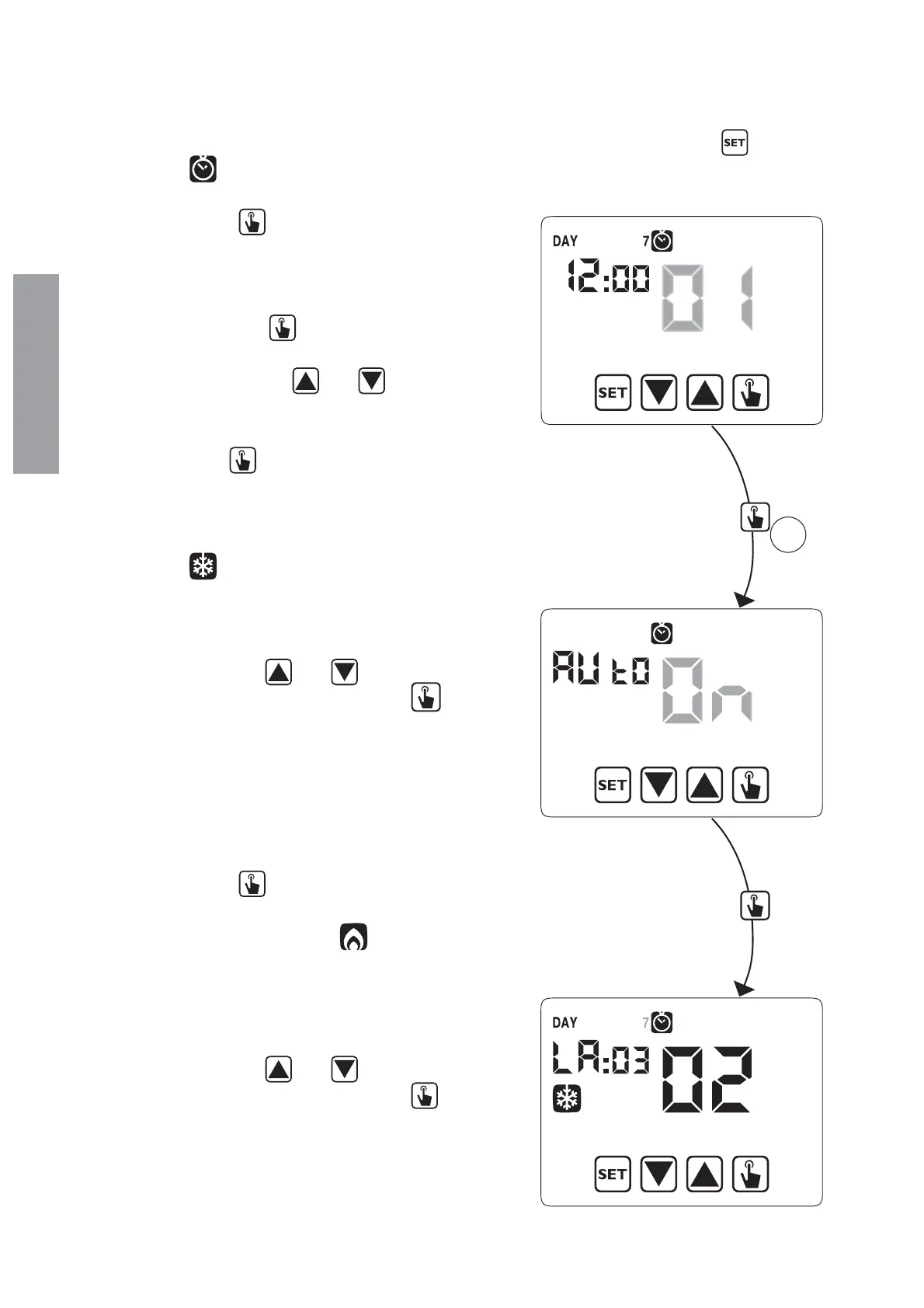
1. access the menu of time and date change, pressing for a long time the key
until the
symbol
starts flashing.
2. press the key
to access the time and
date modification. At this point, during the
modification of any parameter (seconds,
minutes, hour, year, month or day) press for a
long time the key
until the display shows
the writing Aut0 appears on field .
3. Choose with the key
and the
automatic time change activation (Aut0 0n)
or its deactivation (Aut0 0FF) and confirm
with the key
.
4. If 0FF we go back to the date/time change;
if 0n the current setting for the passage to
summer time is displayed (indicated with the
symbol
). In the example:
a. the Sunday (7) of the last week (LA) of
march (03) at 2 o’ clock (02)
b. b. if it’s necessary change the parameters
with the keys
and and move to
the next parameter with the key
. The
sequence requires the insertion of:
i. day (1…7) of the week
ii. the week of the month (first, second,
third, fourth, last – LA)
iii. the month (1…12)
iv. the hour
5. press the key
the current setting for
the passage to the winter time is displayed
(indicated with the symbol
). In the
example:
a. the Sunday (7) of the last week (LA) of
october (10) at 3 o’ clock (03)
b. if it’s necessary change the parameters
with the keys
and and move to
the next parameter with the key
. The
sequence requires the insertion of:
i. day (1…7) of the week
ii. the week of the month (first, second,
third, fourth, last – LA)
3s


 To Next Page