9
GETTING STARTED
4
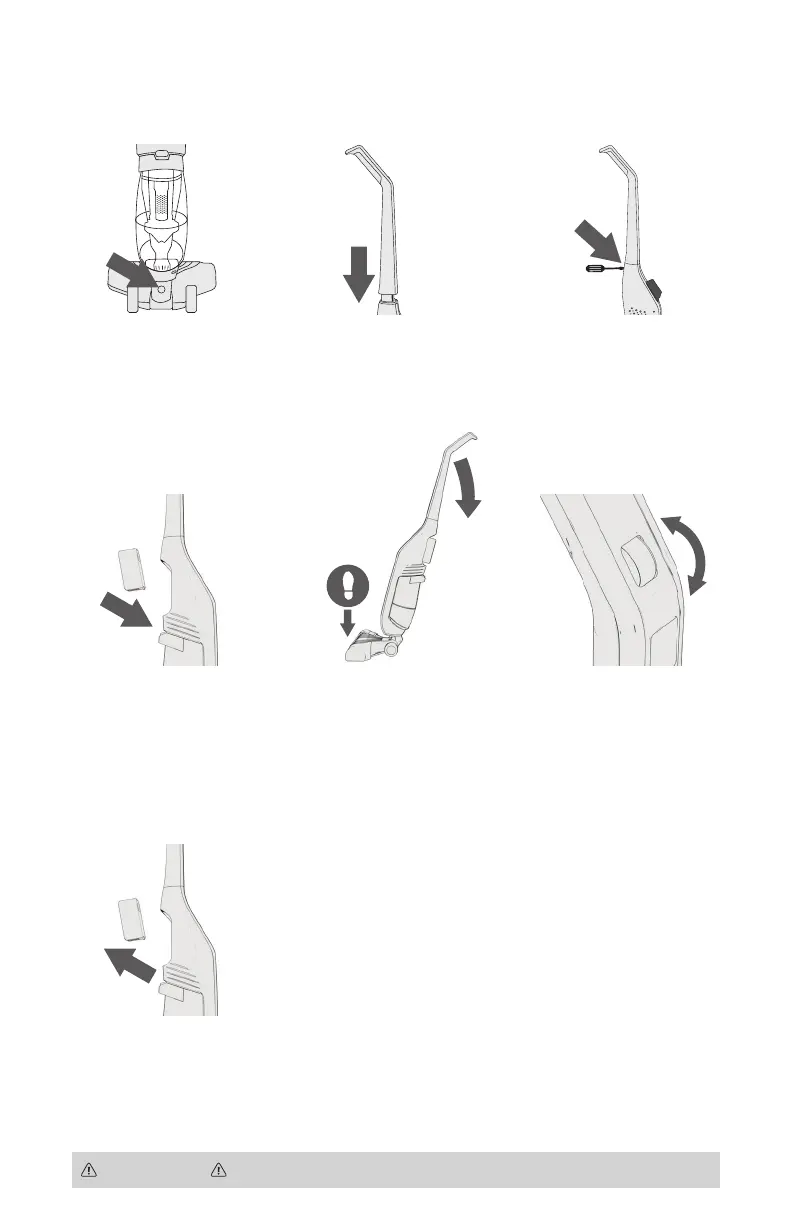
Insert charged battery into
battery cavity until latch is
locked into place.
NOTE: When inserting
and removing battery,
ensure the switch is in the
off position marked “O”.
5
Hold down nozzle with
foot and tilt back to
reclining position.
6
To turn vacuum on, roll
button forward.
PUSH DIAL:
O - OFF
I - Suction ON
(Recommended for
use on hard floors)
II - Suction and
Brushroll ON
(Recommended for
use on carpet)
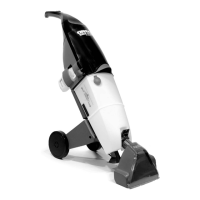
Getting Started With The TaskVac
™
CAUTION NOT TO BE USED TO GROOM A PET.
2
Insert handle into body.
NOTE: Ensure handle
faces proper direction.
3
Insert screw and tighten
until secure.
NOTE: DO NOT over
tighten screw.
1
Line up nozzle with main
body and firmly push nozzle
into body of unit until nozzle
locks into place. NOTE: To
remove, push release button
and pull the nozzle away
from the body of the unit.
7
To remove and charge
battery, press on red top
button and pull back.
Nozzle
Release
Button


 To Next Page