page 09
Operation Controls
and Functions
No. Name Function Description
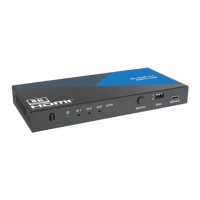
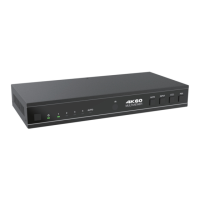
1. POWER LED When the device is powered on, the white power LED is on.
2. IN LED (1~4)
When the INPUT 1/2/3/4 port is selected as the signal source
input channel, the corresponding white LED will be on.
3. AUTO LED
When the auto switching mode is enabled, the corresponding
white LED will be on.
4. IR Window IR input signal receiving window.
5. INPUT button
▪ Short press this button to circularly select signal source.
▪ Long press this button for 3 seconds to enable the auto
switching mode.
6. DC 5V DC 5V/1A Power input port.
7. IN port (1~4)
HDMI signal input ports, connected to HDMI source device such
as DVD or PS5 with an HDMI cable
8. OUTPUT port
HDMI signal output port, connected to HDMI display device such
as TV or Monitor with an HDMI cable.
Notes:
1. If you need to use the switcher to output signals of 4K@120Hz or 8K@60Hz, please make
sure that your HDMI cable, HDMI signal source and HDMI display all support the above
resolution.
2. The length of the HDMI cables connected to both ends of the switcher should not be too
long, otherwise, it will easily cause the screen to flicker. The following HDMI cables are
suggested.
8K60, 8K30, 4K120: Ultra HDMI2.1 cable, IN/OUT 2 meters.
4K60 4:4:4: HDMI2.0 cable, IN/OUT 3 meters.
4K60 4:2:0, 4K30, 1080P: HDMI cable, IN/OUT 5 meters.


 To Next Page