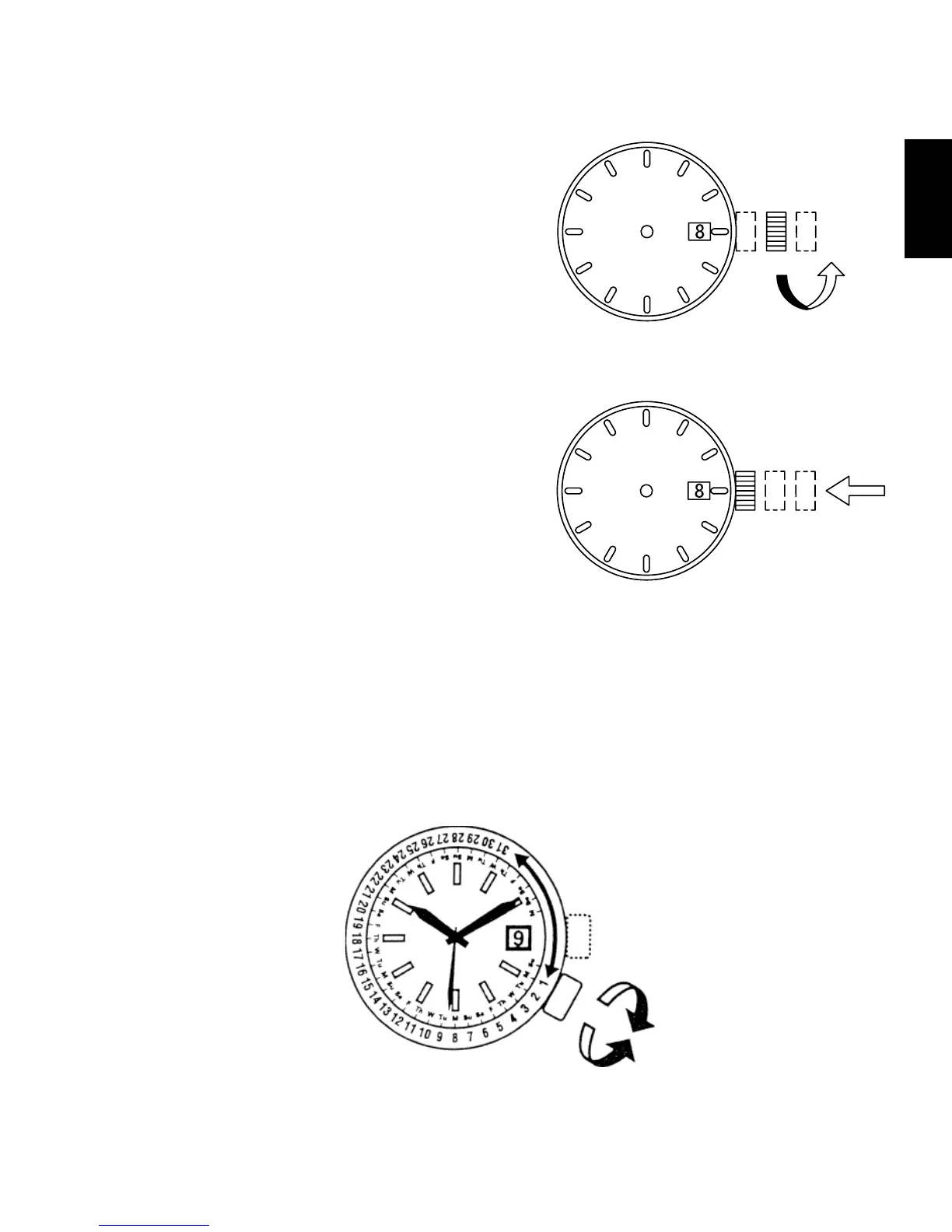
(4) Turn the crown counterclockwise, and
set the date to that for the current
day.
(5) Push the crown back to the normal
position.
◆
HOW TO SET THE MONTHLY CALENDAR
Some models come with a monthly calendar.
The monthly calendar can be used by turning the crown at the 4 o’clock
position to set the rotating ring inside the watchcase and aligning it with the
day of the week that is printed on the dial.
Turn the crown to align the first day of the month to the appropriate day of
the week.
Turn
counterclockwise



 To Next Page