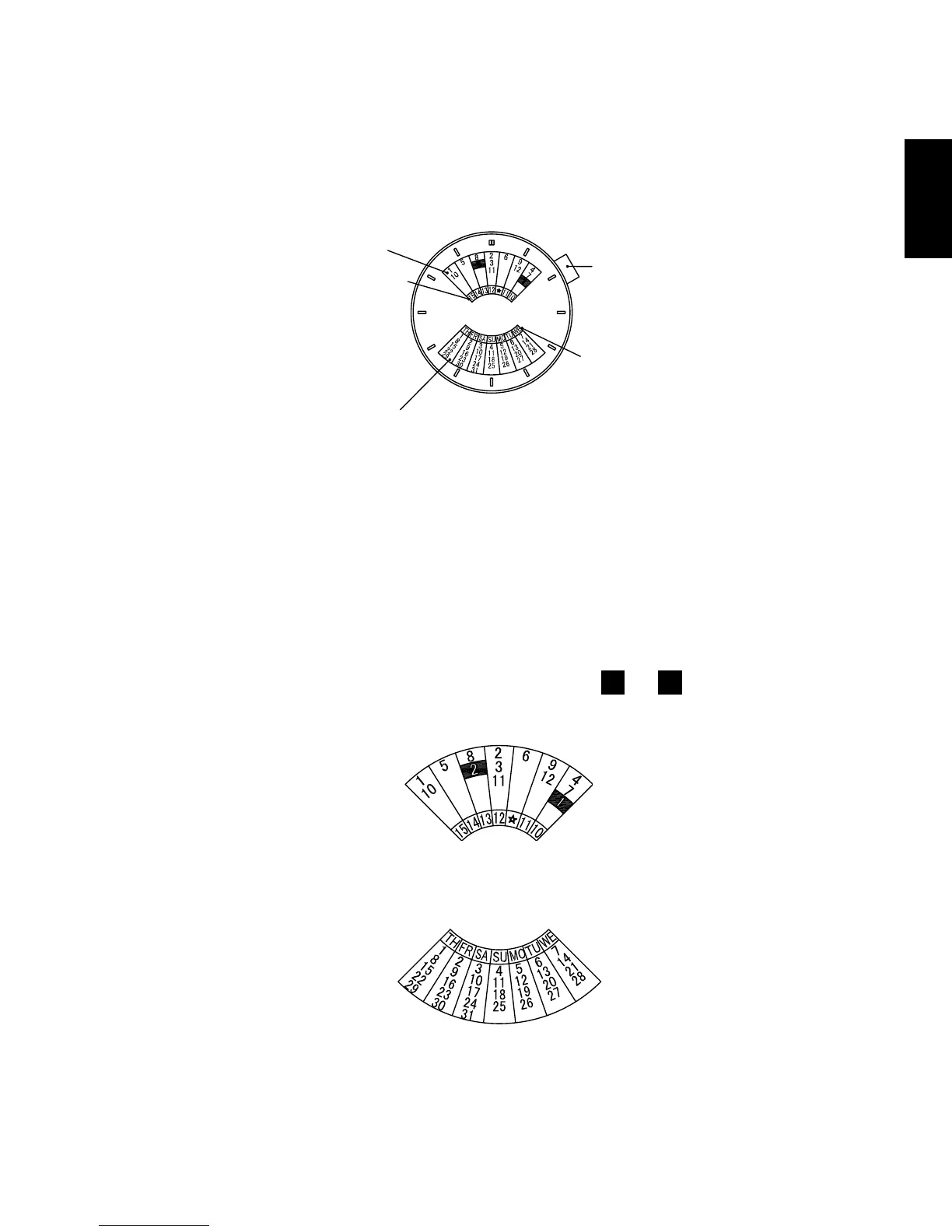
◆ HOW TO USE THE MULTI-YEAR CALENDAR [EU(46D)]
[NAMES AND FUNCTIONS OF COMPONENT PARTS]
Month
Click button
Day of the week
Last two digits
of the year
Dates (for 1 month)
* The click button, location of the date indicator, and style of the month
indicator may vary by model.
[HOW TO SET THE MULTI-YEAR CALENDAR]
Press the click button until the month to be set lines up with the last two digits
of the year to be set at the top of the dial.
* To display the month of January or February during a leap year, line up the
last two digits of the year with the appropriate
1
or
2
in the black box.
The last two digits of the year for a leap year are printed in red.
A calendar with the days for the specified month in their appropriate places is
displayed at the bottom of the dial.



 To Next Page