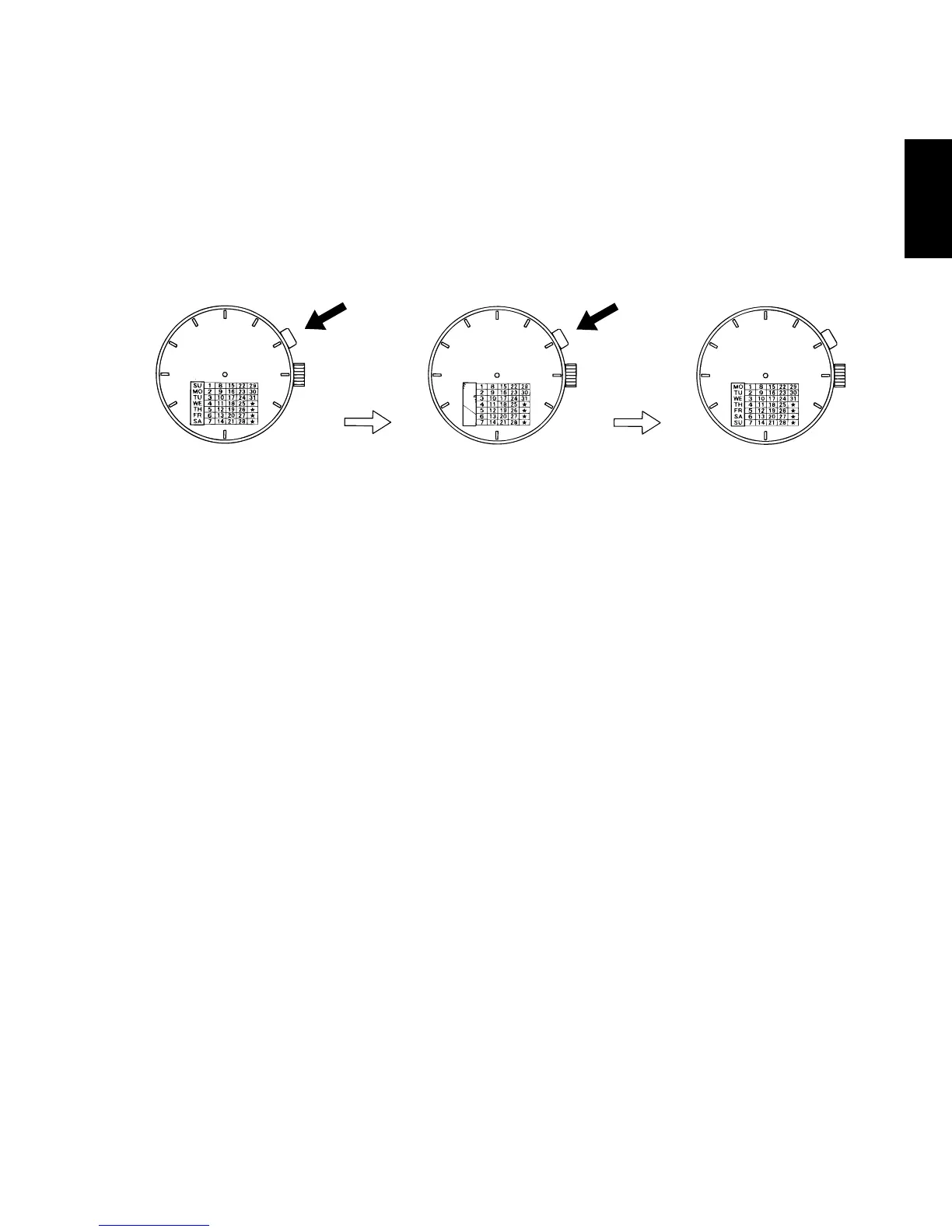
◆ HOW TO ADJUST A DAY OF THE WEEK [FX(46Y)]
Correction of a day of the week is required the beginning of a month.
Please unite the day of the week display of a dial on the day at the
beginning of a month.
Please adjust the following procedure.
First step Second step
Push the click button, and adjust a day of the week.
Whenever it pushes a day of the week display twice, it changes.
(* It does not change to the right position only by pushing once)
Please repeat this operation and adjust with the day of the week of that
month.
* For types of watches with a click button that cannot be pressed with your
finger (i.e. the “hidden button” type)
The day of the week can be set by pressing the click button using a sharp,
pointed object such as a precision screwdriver, a pair of tweezers or a metal
pin.



 To Next Page