3
◆ Time Setting/0-Position Setting of Stopwatch Hands
(Basic Watch/Alarm Mini-watch/Stopwatch Hands)
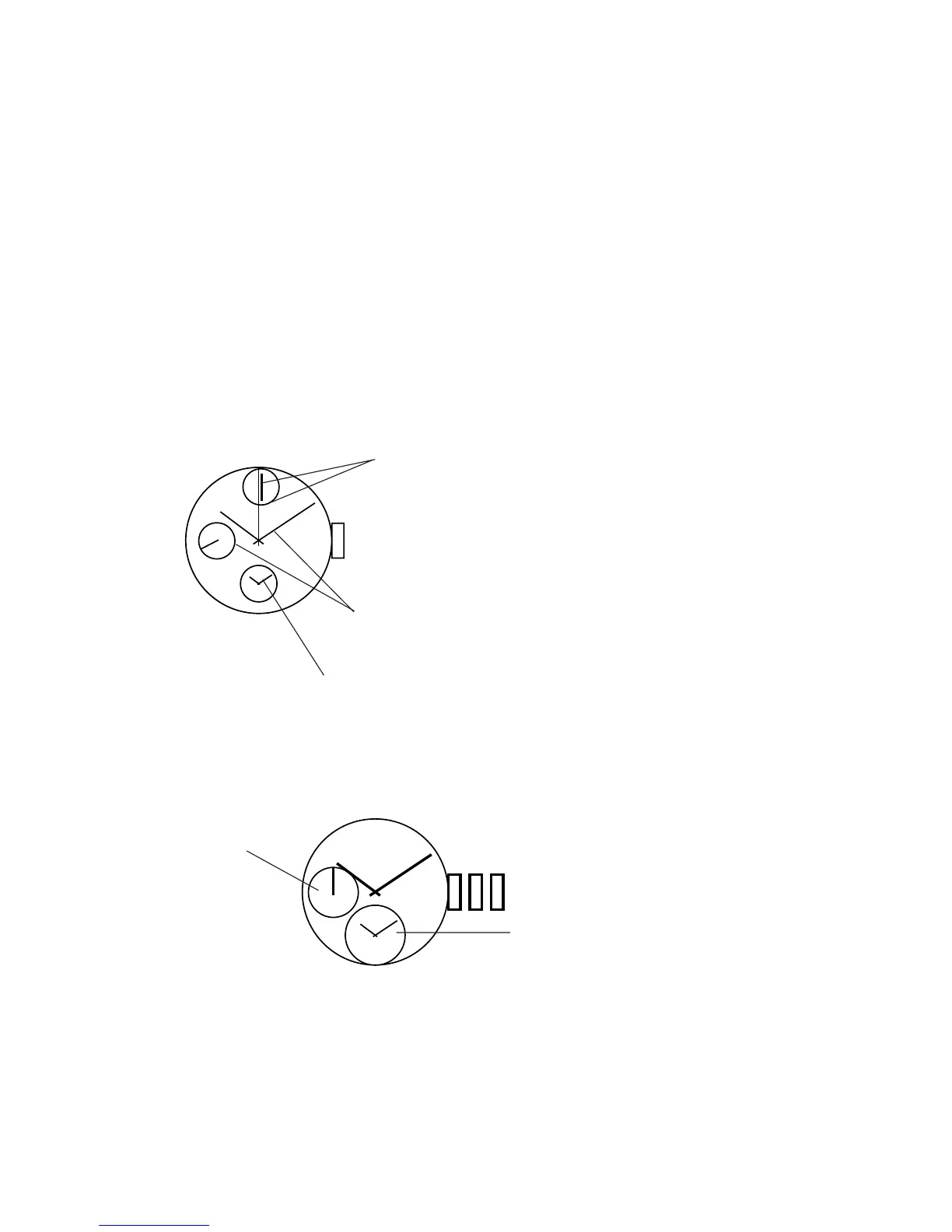
Both the time setting (basic watch and mini-alarm-watch) and the 0-position set-
ting of stopwatch hands are performed in the second step of the crown. There-
fore, check and confirm, or reset the following three items and then press in the
crown, when the crown is pulled out to the second step for time setting, etc.
– Time of basic watch
– Time of mini-alarm-watch
–0 positions of stopwatch hands (2 hands)
Stopwatch hands (minute
hand, second hand)
Crown
Basic watch (hour, minute,
and small-second hand)
Mini-alarm-watch (hour, minute)
[Setting the time (basic watch and mini-alarm-watch)]
Pull the crown out to the second step. Then, the small-second-hand will stop.
Stop the small-second-hand at the 12 o’ clock position.
Small-second-
hand
The mini-alarm-watch
indicates the current time.
* The stopwatch will be reset by force if the above-mentioned action is taken
during stopwatch timing.
* In case the mini-alarm-watch is indicating an alarm time (alarm is set), the mini-
alarm-watch will fast-forward and indicate the current time.



 To Next Page