5
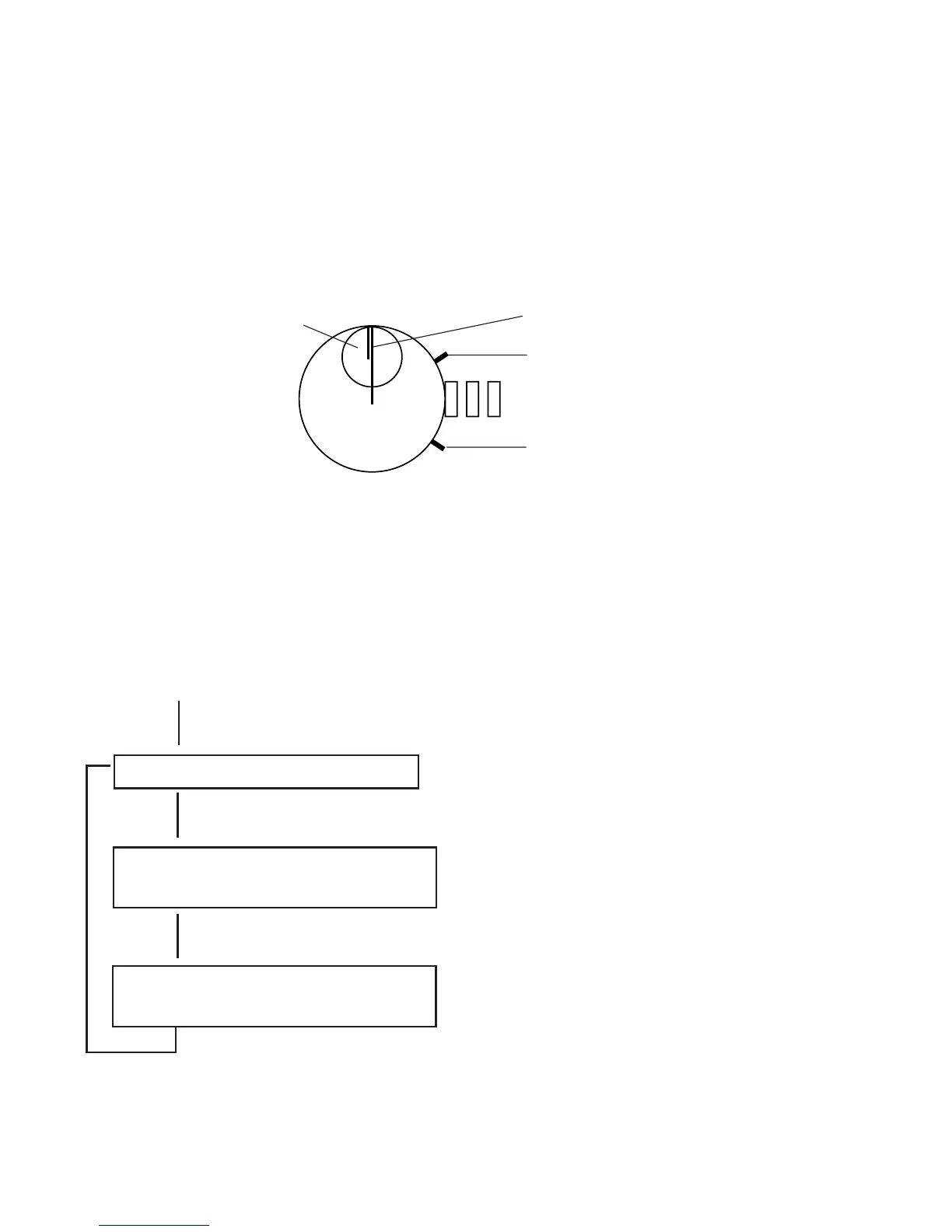
Then, perform 0-position setting of two stopwatch hands.
Continue pressing Button A for about 2 seconds and the stopwatch minute
hand will make one round.
Press Button B and set the stopwatch minute hand to the 0-minute position.
Continued pressing of Button B results in fast-forwarding.
Stopwatch minute
hand
Stopwatch second hand
Button A
Button B
Subsequently, continue pressing Button A for about 2 seconds, and the stop-
watch second hand will make one round.
Press Button B and set the stopwatch second hand to the 0-second position.
Continued pressing of Button B results in fast-forwarding.
To reset again what has already been set, follow the procedures mentioned
below.
Setting the mini-alarm-watch
0-position setting of stopwatch
minute hand
0-position setting of stopwatch
second hand
It shows that the mini-alarm-watch has
turned 12 hours and is ready for a cor-
rection. Press Button B for setting.
It shows that the minute hand of stop-
watch has turned one round and is
ready for a correction.
Press Button B for setting.
It shows that the second hand of stop-
watch has turned one round and is
ready for a correction.
Press Button B for setting.
Continued pressing of
Button A for about 2 seconds
Continued pressing of
Button A for about 2 seconds
Continued pressing of
Button A for about 2 seconds
Continued pressing of
Button A for about 2 seconds
*You can reset as often as you like.



 To Next Page